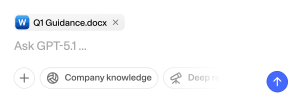
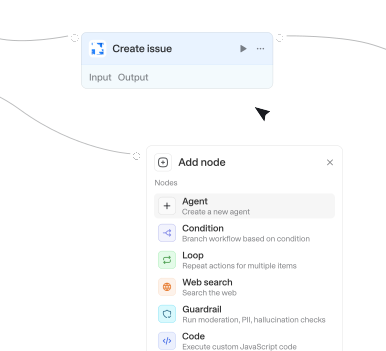
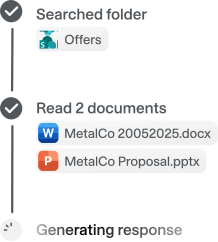
Wähle aus 56 verfügbaren Integrationen und 716 nativen Actions, um deine Agenten und Workflows zu erweitern.


Get association labels
Gets the available association types and labels between two object types. Use this to discover valid associationTypeId values before creating labeled associations. Works with both standard objects (contacts, companies, deals, tickets) and custom objects.

Get attachments for object
Lists attachment metadata (names, types, IDs) for a project, task, or project brief without downloading file content. Requires a parent GID from typeahead_search. Returns attachment GIDs, names, and resource types


Get base schema
Returns all tables and their fields for a base. Requires a base ID. Returns table names, field names, types, and select options.


Get boards
Lists Monday.com boards the connected account can access, optionally filtered to a single workspace. Internal subitem boards are hidden by default. Requires no inputs (optionally accepts workspace ID, limit, and subitem-board toggle). Returns boards with their ID, name, workspace, item count, and board type.
Get board schema
Retrieves the full structure of a board. Requires a board ID. Returns the board's columns (ID, title, type, settings), groups (ID, title, color), item count, and workspace info.

Get branch
Retrieves detailed information about a specific branch, including protection status and latest commit.

Get calendar settings
Retrieves calendar settings including timezone, working hours, and other configurations.


Get channel message
Retrieves a single channel message by its exact ID, including full content, subject, mentions, and attachments. Use this when you have a specific message ID and need its full details. Use 'Get channel messages' to browse or list recent messages instead.

Get channels by name
Searches for channels in your Slack workspace by name (public and private team channels only).

Get comments
Returns all comments for an issue. Call the search_for_issues action to get the issue ID or key if the user just provides the issue name.

Get comments
Retrieves all comments on a Notion page or block. Returns comment content, authors, timestamps, and discussion thread IDs.
Get comments
Retrieves threaded comments (not cell notes) and their replies from a Google Sheets spreadsheet. Use this to read collaborative feedback, review notes, or discussion threads left by collaborators on the spreadsheet.

Get commit diff
Gets diff information for a specific commit. Returns file stats (files changed, additions, deletions) and optionally the detailed patch content for each file.

Get company by website URL
Find a company using its website URL. The response includes a company ID that you can use with other endpoints to get details like financials, shareholders, and representatives.
Get company contact information
Retrieve contact information for a company using its unique ID. The response includes details such as email address, phone number, VAT identification number.
Get company context
Gets all required information on company properties, and the actual property values from a specific company.
Get company information
Retrieve detailed information about a company using its unique ID. The response includes company registration details, current status, name, address, business purpose, capital, legal representatives.


Get consumer insights
Retrieves Statista Consumer Insights survey data as a crosstable for a specific question or answer, optionally scoped to a country and survey year. Designed to work with results from the 'search_consumer_insights' tool - pass a question ID (or answer ID) from a search result. Always cite the source of the data in your response.

Get content note
Gets an Enhanced Note (ContentNote) and optionally its ContentDocumentLink associations.
Get content notes for record
Retrieves Enhanced Notes (ContentNote) linked to a record via ContentDocumentLink.
Get conversation history
Fetches a conversation's history of messages and events. Returns message metadata including thread reply counts. To fetch the actual thread replies for specific messages, use the 'Get thread replies' action with the thread_ts_unix value. The showThreads option attempts to fetch all thread replies inline but may be incomplete for channels with many threads. All timestamps are in UTC.

Get conversation transcript
Retrieve transcript and details from Conversational AI agent conversations.



Get current user
Retrieves the profile of the authenticated GitHub user, including login, name, email, and account statistics.
Get current user context
Gets the current user's email, hubspot_owner_id, and other important info for later action calls.
Get customer funding instructions
Retrieves bank transfer funding instructions for a customer's cash balance in a specific currency.
Get custom field options
Returns allowed options for a given custom field. Optionally scope by project and issue type to reflect context-specific options.

Get custom object
Gets a custom object record by its ID. Use 'Get custom object context' first if you don't know the available property names.
Get custom object associations
Lists records associated with a custom object record. Returns linked contacts, companies, deals, or other objects of the specified target type.
Get custom object context
Retrieves the field schema for a Salesforce custom object, showing available fields, their types, and requirements.
Get custom object context
Gets the schema (property definitions, types, and valid options) for a custom object type. Optionally retrieves actual property values for a specific record. Also use this to discover available property names and their types for filtering, creating, or updating records. Prefer 'Get custom object' when you already know which properties to fetch.


Get database details
Retrieves the schema and metadata of a specific Notion database. Requires a database ID. Returns the database's property definitions, title, and metadata.

Get dataset schema
Gets full schema metadata (tables, columns, measures, relationships) from a Power BI dataset using the XMLA endpoint. Requires Premium Per User (PPU), Premium capacity, or Fabric capacity with XMLA endpoint enabled.
Get deal context
Gets required information on deal properties, available stages, and the actual property values from a specific deal.



Changes in path
Triggers when files are added or modified in a specific path. Useful for CI/CD pipelines, config monitoring, code review automation, or content tracking.
File updated
Triggers when a file is updated in a SharePoint folder. Re-fires each time a file's contents change, and optionally filter by name or file extension.

Label changed on email
Triggers when categories are added to or removed from an email in your Outlook mailbox.
New email in shared inbox
Triggers when new emails are received in specified shared inboxes (users you have Mail.Read.Shared access to).
New email in shared mailbox folder
Triggers when emails appear in a specific folder of a shared mailbox (either newly received or moved to it). Requires Mail.Read.Shared permission and folder access.
New email in specific folder
Triggers when emails appear in a specific folder (either newly received or moved to it).
New email matching search
Triggers when new emails matching your search query are received (sent emails excluded unless you add 'in:sent').

New event matching search
Triggers when new calendar events matching the specified search query are created.
New event matching search
Triggers when new calendar events matching the specified search query are created.
New issue
Triggers when a new issue is created in the repository. Does not trigger for pull requests.
New item created
Triggers when a new file or folder is created in a SharePoint folder. Watch files, folders, or both, and optionally filter by name or file extension.
New meeting transcript
Triggers when a transcript becomes available for a recently ended Teams meeting.
New message by search
Triggers when a new message is found by searching for a specific keyword or other criteria.
New message in channel
Triggers when a new message was posted in a channel (public, private, DM, etc.).
New message in conversations
Triggers when a new message is posted in a specific conversation (DM, group DM, or channel).


Property changed
Triggers when a property on a HubSpot object (a standard object like a contact, company, deal, or ticket, or a custom object) changes. Watching a specific property fires once per value transition and returns the new value under a key named new_ followed by the property name (e.g. new_dealstage when watching dealstage). Leave the property name empty to fire on any update to the object instead.
Actions
Triggers
Actions
Triggers
Actions
Triggers
Actions
Triggers
Actions
Triggers
Actions
Triggers
Actions
Triggers
Actions
Triggers
Actions
Triggers
Actions
Triggers
Actions
Triggers
Actions
Triggers
Actions
Triggers
Actions
Triggers
Actions
Triggers
Actions
Triggers
Actions
Triggers
Actions
Triggers
Actions
Triggers
Actions
Triggers
Actions
Triggers
Actions
Triggers
Actions
Triggers
Actions
Triggers
Actions
Triggers
Actions
Triggers
Actions
Triggers
Actions
Triggers
Actions
Triggers
Actions
Triggers
Actions
Triggers
Actions
Triggers
Actions
Triggers
Actions
Triggers
Actions
Triggers
Actions
Triggers
Actions
Triggers
Actions
Triggers
Actions
Triggers
Actions
Triggers
Actions
Triggers
Actions
Triggers
Actions
Triggers
Actions
Triggers
Actions
Triggers
Actions
Triggers
Actions
Triggers
Actions
Triggers
Actions
Triggers
Actions
Triggers
Actions
Triggers
Actions
Triggers
Actions
Triggers
Actions
Triggers
Actions
Triggers
Actions
Triggers
Actions
Triggers
Actions
Triggers
Actions
Triggers
Actions
Triggers
Actions
Triggers
Actions
Triggers
Actions
Triggers
Actions
Triggers
Actions
Triggers
Fragen & Antworten
Was kann ich mit Langdock‑Integrationen machen?
Integrationen verbinden Langdock mit deinen bestehenden Tools, sodass Agents und Workflows interne Dokumente durchsuchen, Aktionen auslösen, Daten aktualisieren oder Abläufe in deinen Apps automatisieren können.
Welche Tools kann ich mit Langdock integrieren?
Langdock unterstützt eine große Bandbreite gängier Business‑Tools wie Google Drive, Notion, Confluence, Slack, Salesforce, Jira, Asana und viele mehr. Du kannst zudem individuelle Integrationen für jedes Tool erstellen, das eine API anbietet.
Muss ich eigene Integrationen entwickeln?
Das ist nicht notwendig. Die meisten Verbindungen funktionieren sofort nach der Aktivierung. Wenn du jedoch erweiterte Funktionen oder Actions benötigst, bietet Langdock einen integrierten Builder an. Damit erstellst du deine eigene Logik – inklusive unterstütztem JavaScript-Flow.
Sind Integrationen sicher?
Absolut. Langdock nutzt eine sichere Authentifizierung (inklusive OAuth 2.0), verwahrt Zugangsdaten geschützt und führt eigenes Code‑Handling in einer isolierten Sandbox‑Umgebung aus. Zusätzlich ist Langdock ISO 27001‑zertifiziert, SOC 2 Type II-geprüft und vollständig DSGVO‑konform.
Wie nutze ich Integrationen in einem Chat oder Agenten?
Sobald eine Integration verbunden ist, kannst du sie in jedem Chat direkt nutzen, indem du @ eingibst und verfügbare Actions auswählst. Außerdem können Agenten dank ihrer Anweisungen Integrationen automatisch ausführen.