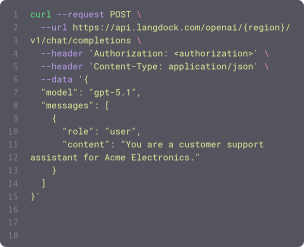
Power your agents and workflows with 57 available integrations and 754 native actions.




Create events
Creates an Outlook calendar event with subject, time, attendees, and optional recurrence. When 'Online meeting' is set to true without specifying a provider, Microsoft Teams is automatically selected for business accounts. Newlines in the description are converted to HTML line breaks. Supports shared/delegated calendars: pass a colleague's email in 'Shared calendar owner' to act on their calendar (they must have granted you edit rights); leave it empty for your own calendar.

Create folder
Creates a new folder in OneDrive. Supports creating nested subfolders by providing a path with forward slashes.

Create folder
Creates folders in Google Drive. Supports multiple folders (comma-separated) and nested paths (using '/'). If a folder already exists, it will be reused and the user notified.
Create folder
Creates a folder in a SharePoint drive. Supports nested folder paths (e.g., 'folder1/folder2/folder3').

Create folder
Creates a new folder or project under a parent folder. Use isProject=true to create a project with status tracking.

Create folder
Creates a new mail folder. Creates a top-level folder by default, or a subfolder when a parent folder ID is provided.


Create group
Creates a new group (section) on a board. Requires a board ID and group name; optionally set a color. Returns the created group's ID, title, color, and position.


Create incident
Creates a new ServiceNow incident. Note: ServiceNow instances may have custom mandatory fields beyond short_description. If creation fails due to missing required fields, use get_incident_metadata with onlyRequired=true to discover instance-specific mandatory fields, then provide them via the additionalFields parameter.



Create KB article
Create a new knowledge base article. IMPORTANT: The contentHtml field is mapped to body_html in the API.



Create meeting
Creates a new meeting in HubSpot. Requires only a title for the meeting. If start time is omitted, the meeting starts at the current time, so set it explicitly when logging a past meeting or scheduling a future one.



Create page
Creates a new Notion page as a child of an existing page or as an entry in a database. Requires a parent ID and parent type (page_id or database_id); title, properties, and content are optional. Returns the created page's ID, URL, and timestamps.

Create page
Create a new SharePoint page with text, multi-column sections, images, dividers, spacers, buttons, YouTube embeds, and an optional right-rail side rail.

Create payload index
Creates a payload index for a field (required for filtered search on that field).


Create presentation
Create a new blank Google Slides presentation (with one default slide) and optionally place it in a specific Drive folder; use this to start a new deck before adding slides or content. Returns the new presentationId (the ID needed by every other Google Slides action) plus the object ID of the initial slide, so capture them from the result and pass them to later calls rather than guessing.

Create project
Creates a new project in Asana. Requires a project name. Optionally accepts workspace GID from list_workspaces, team GID from get_teams_for_workspace, owner, color, privacy settings, and dates. Returns the created project with its GID


Create record
Creates a new record in a Dataverse table and returns the created record including its generated primary key.

Create records
Creates one or more records in a table. Requires a base ID, table name, and an array of field values. Returns the created records with their IDs.

Create scheduling link
Creates a single-use scheduling link for an event type that can be shared with invitees.
Create slide
Add a new slide to a presentation with a chosen layout and, optionally, fill its title and body placeholders in the same step (no separate text action needed). Use it whenever you need to insert a slide into an existing deck. IDs: pass the target presentation's ID in presentationId; the action RETURNS the new slide's object ID (slideId) plus the auto-assigned title and body placeholder object IDs (titlePlaceholderId, bodyPlaceholderId, placeholderIds), which you should reuse to style or further edit those elements without re-fetching the presentation.
Create subitem
Creates a new subitem nested under a parent item. Requires a parent item ID and a name for the subitem. Returns the created subitem's ID and name.



Create table
Creates a new table from a cell range. Tables enable filtering, sorting, and structured references.
Create task
Creates a new task in Asana. Requires a task name. Optionally accepts workspace GID from list_workspaces, project GID from get_projects, assignee from get_users, due dates, and custom fields. Returns the created task with its GID

Create task
Creates a new task in a Planner plan or as a private To Do task. For Planner tasks, provide planId or planTitle. For private To Do tasks, set isPrivate=true or provide todoListName.

Create task
Creates a new item on a board with column values pre-filled. Requires a board ID, item name, and column values as JSON. Returns the created item's ID and name.
Create task story
Adds a comment to a task. Requires the comment text and a task GID from search_tasks or typeahead_search. Returns the created comment

Create trigger
Creates a new trigger for an integration. Triggers poll for events and activate workflows.

Create version
Creates a new release version in a Jira project (e.g., 'RELEASE - 1.1.0'). Use this as the first step in a release workflow: create the version, then bulk-update ticket fixVersions to it, then transition tickets to 'Released'. Requires Administer Projects permission.
Create video
Embeds a YouTube or Google Drive video onto a slide in one step; use it to add a video player (YouTube is the common case) to an existing slide. ID flow: pass the target slide's OBJECT ID in slideId (not its number) and the presentation's ID in presentationId; the video's source id goes in `id`. Returns the created video element's object ID (as both objectId and videoObjectId) so you can immediately reposition, resize, or delete it without re-fetching the presentation.
Delete custom object
Deletes (archives) a custom object record. The record goes to HubSpot's recycling bin and can be restored within 90 days.
Delete custom object association
Removes an association between a custom object record and another record.
Delete event
Deletes a calendar event by its ID. For recurring events: pass the series master ID to delete all occurrences, or pass a single occurrence ID to delete only that instance. Supports shared/delegated calendars: pass a colleague's email in 'Shared calendar owner' to act on their calendar (they must have granted you edit rights); leave it empty for your own calendar.

Changes in path
Triggers when files are added or modified in a specific path. Useful for CI/CD pipelines, config monitoring, code review automation, or content tracking.

File updated
Triggers when a file is updated in a SharePoint folder. Re-fires each time a file's contents change, and optionally filter by name or file extension.
Label changed on email
Triggers when categories are added to or removed from an email in your Outlook mailbox.
New email in shared inbox
Triggers when new emails are received in specified shared inboxes (users you have Mail.Read.Shared access to).
New email in shared mailbox folder
Triggers when emails appear in a specific folder of a shared mailbox (either newly received or moved to it). Requires Mail.Read.Shared permission and folder access.
New email in specific folder
Triggers when emails appear in a specific folder (either newly received or moved to it).

New email matching search
Triggers when new emails matching your search query are received (sent emails excluded unless you add 'in:sent').

New event matching search
Triggers when new calendar events matching the specified search query are created.
New event matching search
Triggers when new calendar events matching the specified search query are created.
New issue
Triggers when a new issue is created in the repository. Does not trigger for pull requests.
New item created
Triggers when a new file or folder is created in a SharePoint folder. Watch files, folders, or both, and optionally filter by name or file extension.

New meeting transcript
Triggers when a transcript becomes available for a recently ended Teams meeting.

New message by search
Triggers when a new message is found by searching for a specific keyword or other criteria.
New message in channel
Triggers when a new message was posted in a channel (public, private, DM, etc.).
New message in conversations
Triggers when a new message is posted in a specific conversation (DM, group DM, or channel).
Property changed
Triggers when a property on a HubSpot object (a standard object like a contact, company, deal, or ticket, or a custom object) changes. Watching a specific property fires once per value transition and returns the new value under a key named new_ followed by the property name (e.g. new_dealstage when watching dealstage). Leave the property name empty to fire on any update to the object instead.
Actions
Triggers
Actions
Triggers
Actions
Triggers
Actions
Triggers
Actions
Triggers
Actions
Triggers
Actions
Triggers
Actions
Triggers
Actions
Triggers
Actions
Triggers
Actions
Triggers
Actions
Triggers
Actions
Triggers
Actions
Triggers
Actions
Triggers
Actions
Triggers
Actions
Triggers
Actions
Triggers
Actions
Triggers
Actions
Triggers
Actions
Triggers
Actions
Triggers
Actions
Triggers
Actions
Triggers
Actions
Triggers
Actions
Triggers
Actions
Triggers
Actions
Triggers
Actions
Triggers
Actions
Triggers
Actions
Triggers
Actions
Triggers
Actions
Triggers
Actions
Triggers
Actions
Triggers
Actions
Triggers
Actions
Triggers
Actions
Triggers
Actions
Triggers
Actions
Triggers
Actions
Triggers
Actions
Triggers
Actions
Triggers
Actions
Triggers
Actions
Triggers
Actions
Triggers
Actions
Triggers
Actions
Triggers
Actions
Triggers
Actions
Triggers
Actions
Triggers
Actions
Triggers
Actions
Triggers
Actions
Triggers
Actions
Triggers
Actions
Triggers
Actions
Triggers
Actions
Triggers
Actions
Triggers
Actions
Triggers
Actions
Triggers
Actions
Triggers
Actions
Triggers
Actions
Triggers
Actions
Triggers
Questions & answers
What can I do with Langdock integrations?
Integrations let you connect Langdock to your existing tools so your agents and workflows can search documents, trigger actions, update data, or automate workflows across your apps.
Which tools can I integrate with Langdock?
Langdock supports a wide range of popular workplace tools like Google Drive, Notion, Confluence, Slack, Salesforce, Jira, Asana, and more. You can also build fully custom integrations for any API‑enabled tool.
Do I need to build my own integrations?
You don’t have to. Many integrations are plug‑and‑play. But if you want custom functionality or custom actions, Langdock includes a built‑in integration builder that makes it easy to create your own integration logic with guided JavaScript support.
Are integrations secure?
Absolutely. Langdock uses secure authentication (including OAuth 2.0), handles credentials safely, and runs custom code in a sandboxed environment. Langdock is also ISO 27001 certified, SOC 2 Type II audited, and GDPR compliant.
How do I use integrations inside a chat or agent?
Once connected, you can use integrations directly in any chat by typing @ to trigger available actions. Agents can also call integrations automatically based on their instructions.