Changelog
We're constantly working on new features and improvements. Here's what's new with Langdock.
New GPT-5 & 5.1 Versions

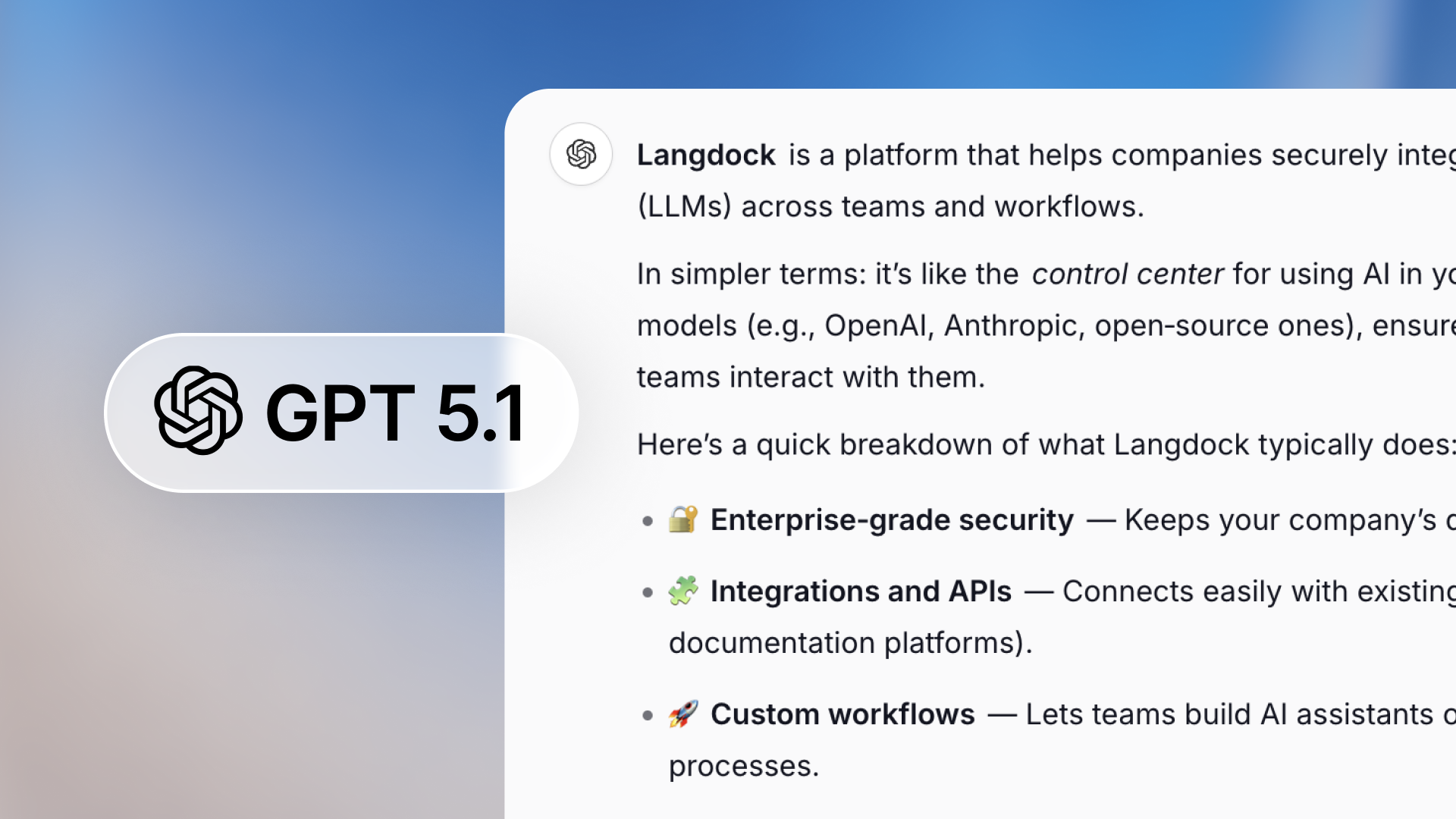
We upgraded GPT-5 and GPT-5.1 to the latest model versions from OpenAI, now featuring a dedicated "Chat" version optimized for conversational interactions.
The new Chat version delivers responses with richer formatting: better structure, clearer lists, and more polished outputs that make conversations easier to follow and act on. These are the same model versions currently used in ChatGPT.
Both GPT-5 and GPT-5.1 "Chat" versions are hosted in the EU. The previous GPT-5 and GPT-5.1 models have been updated and are now live. If you haven't tried out the latest GPT-5 series yet, give it a try!
GPT-5.1
We are excited to announce that GPT-5.1 is now available in Langdock! 🚀
As of today, we are sharing the newest GPT-5 series release: GPT-5.1, available also in thinking mode. This model improves on both intelligence and communication style.
This model is more intelligent, warmer, and better at following instructions than GPT-5. You may notice a more playful tone, paired with well‑structured outputs.
This model is a great choice when you want it to closely follow your guidance and produce polished responses. It has become faster at solving simple tasks, while being more persistent on complex ones. The model generates clearer responses by focusing on less technical jargon.
You can read more about the launch in the announcement from OpenAI.
Like the previous GPT-5 model, the model is available in two modes - one for fast responses (GPT-5.1) and one for reasoning before responding (GPT-5.1 Thinking).
The model is hosted by Microsoft Azure inside the EU and available to all workspaces now.
Workflows
We're excited to launch Workflows, a powerful new way to build AI-driven automations in Langdock! 🚀
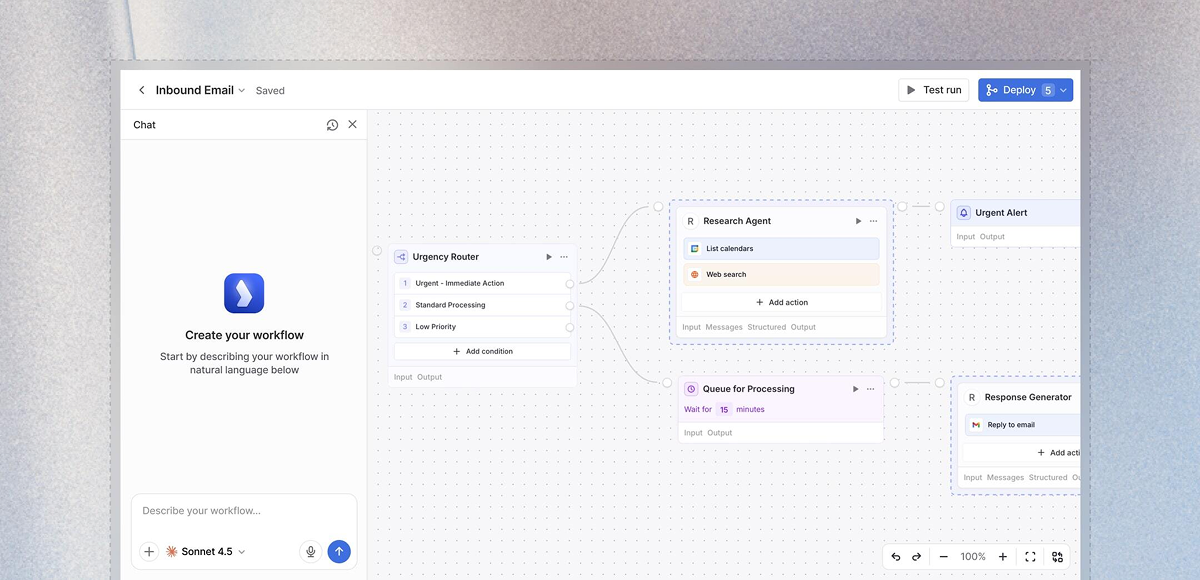
Workflows bring together everything you already use in Langdock - Chat, Assistants, and Integrations - into end-to-end automations. Think of it as your orchestration layer where you can chain multiple steps together, add conditional logic, loop through data, and create sophisticated processes that run automatically.
What are Workflows?
Workflows allow you to build complex, multi-step automations without writing code. They can be triggered by a form submission, a schedule, or an event in your connected apps and handle entire processes from start to finish-automatically and reliably.
Key capabilities:
- Multi-step automation: Chain assistants, integrations, and custom logic into sophisticated workflows.
- Flexible triggers: Start workflows manually, on a schedule, via webhook, or through form submissions.
- Conditional logic: Add deterministic if/then branches, loops, and decision trees to handle complex scenarios.
- Human-in-the-loop: Include manual approval steps when needed for critical decisions.
- AI at every step: Use different AI models throughout your workflow to analyze, decide, and adapt.
- Cost management: Monitor and control workflow spending with built-in cost limits and usage tracking.
Why Workflows?
More powerful than Chat: While Chat is perfect for interactive conversations, Workflows automate entire processes in the background. Set them up once, and they run reliably 24/7.
More flexible than Assistants: Assistants are great for specific tasks, but Workflows let you combine multiple assistants, add custom logic, integrate with external APIs, and create sophisticated decision trees.
More than Integrations: Integrations connect your apps, but Workflows orchestrate complex processes across those apps-with AI at every step.
Example use cases
- Automatically analyze and route customer support tickets based on content and urgency.
- Generate weekly reports by pulling data from multiple sources, analyzing trends, and distributing results.
- Process form submissions with AI review, conditional approval flows, and automated follow-ups.
- Monitor data sources on a schedule and trigger actions when specific conditions are met.
Getting started
Workflows are available now in Langdock! To start building:
- Workflows must be activated by an admin in workspace settings.
- Navigate to the Workflows section in your sidebar.
- Create your first workflow using our visual builder.
- Choose a trigger, add nodes, and connect your logic.
Important notes:
- AI usage in workflows is billed via API pricing, and depending on the number of runs, you might need a subscription upgrade (pricing details here).
- Set cost limits and enable monitoring to control spending.
- All workflow executions are logged to the workflow creator for transparency and debugging.
We're excited to see what you build with Workflows! As always, we look forward to your feedback. 🙌
Improved group permissions
We improved group permissions to allow more intuitive sharing and permission handling around prompts, assistants and knowledge folders within your team.

Until now, all group members, editors and admins were able to share prompts, assistants and knowledge folders with the entire group which often led to cluttered groups and unclear governance.
Most important changes
- From now on, group members can access and use all prompts, assistants, and knowledge folders shared with the group, but cannot share new resources themselves.
- The editor role allows users to contribute to the group by sharing prompts, assistants, and knowledge folders.
- Group admins keep full group management rights.
- New SCIM group settings allow workspace admins to effectively customize role management in synced groups
Why did we change this?
With this update to group role permissions, we reduce clutter in large groups by limiting who can share resources. Moreover, we clearly separate contributing to a group (editor) from managing a group (admin) for cleaner governance.
Detailed permission overview
Members:
- Can see group details and use prompts, assistants, and knowledge folders
- Cannot share to the group
Editors:
- Can do everything members can do
- Can share prompts, assistants, and knowledge folders to the group
- Cannot rename the group or manage members/roles
Admins:
- Can do everything editors can do
- Can change user roles and add/remove users
- Can rename group and change group description
- Can delete group
For more details, also check out our updated documentation page.
How does this affect me?
Sharing flow: You will still see all your groups when sharing prompts, assistants or knowledge folders. If you're an Editor or Admin, you can share with them. If you're a member, the group will be greyed out with an info message explaining why.
Group members were migrated to editors: Users who were members of a group before the update now have the editor role. Since the new editor role has the same sharing permissions as the old member role, nothing changes for previously shared prompts or assistants.
Admin tools and SCIM defaults: We added admin settings and tools that make syncing SCIM groups with these new permissions much easier:
- Set the default role for newly synced SCIM groups in the security settings
- Set the default role for new users added to a specific SCIM group
- Use bulk actions to change the roles of all members or editors in groups
Please check out our documentation here for more details.
We look forward to hearing your feedback on how these new permission levels improve collaboration in your workspace! 🙌
- Automatic model fallback: If your selected model is unavailable due to provider issues, we automatically switch to a backup model, ensuring you always receive an answer.
- Improved login flow: Simply enter your email, and we'll show you all relevant login options, or in SAML workspaces, forward you to your identity provider directly.
- Assistant names on hover: When you mention assistants with @ in a chat, you'll now see the assistant's name when hovering over the tag.
- Slack bot image support: Our Slack bot can now read and understand images shared with it.
- Microsoft Teams 1:1 messages: Send direct 1:1 chat messages in Teams to your colleagues, even to those you haven't started a chat with yet.
- Enhanced Google Drive file search: When uploading files from Google Drive directly to chat or assistant knowledge using the “Select File” button, you'll now find more relevant results.
- Reply to Outlook emails: You can now reply to emails directly via the Outlook integration.
- Additional file type now supported: You can now upload and use Parquet, .msg, .one, .vsdx, and .svg files in the chat.
- Copy to clipboard button for prompts: Quickly copy prompts to your clipboard with the new copy button.
- MCP improvements: Connect to MCP servers using more advanced OAuth logic and custom headers.
- API key management: API keys now have scopes for better security and access management.
Nano Banana in EU
We are excited to announce that Gemini 2.5 Flash Image (Nano Banana) is now available in the EU! 🚀
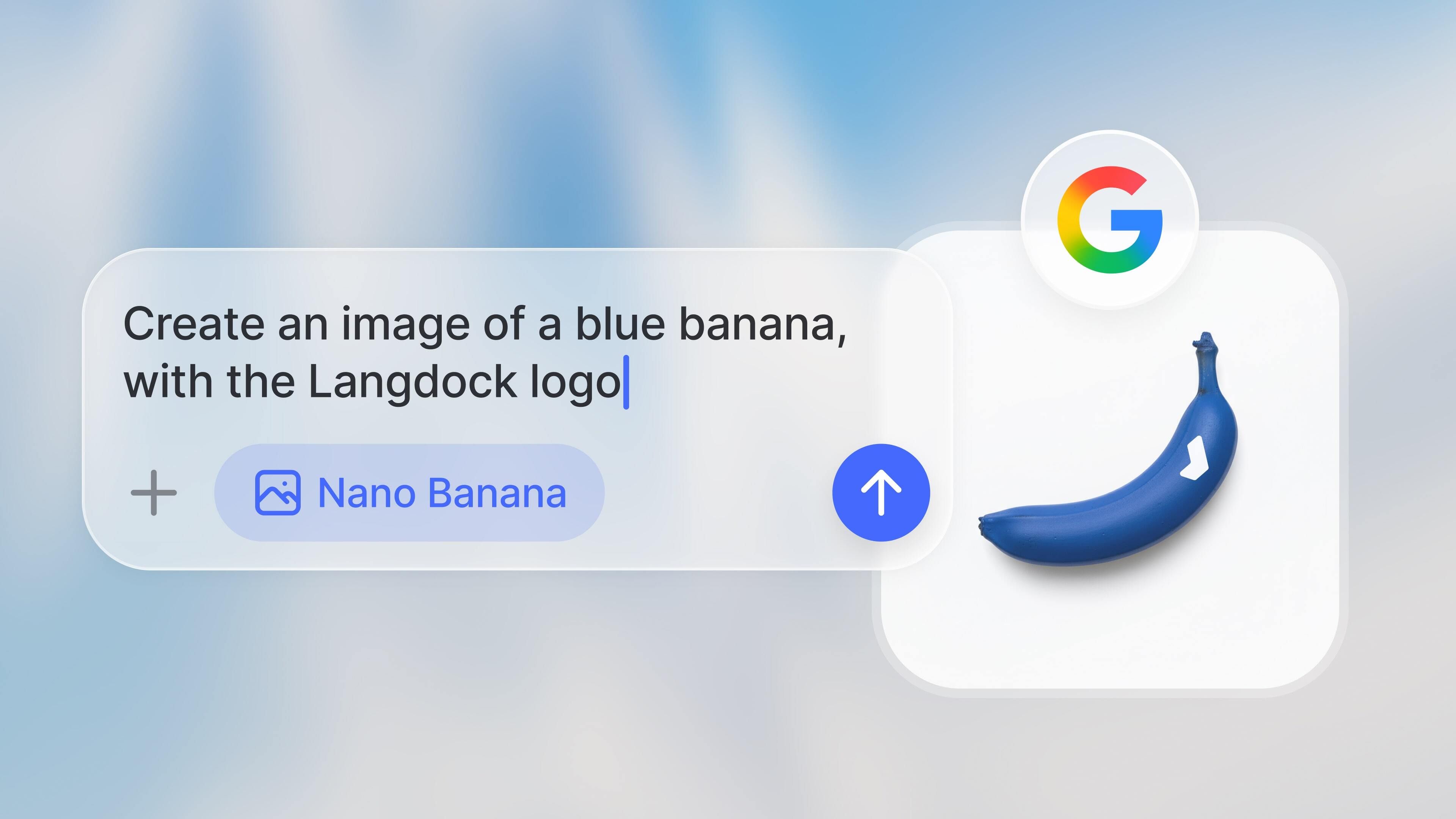
Google's image generation model has been in high demand since its launch. It is one of the best image generation models right now and also supports editing images.
Unfortunately, it was not available in the EU until now. But Google launched the EU-hosted model recently, so we added the model and enabled it as the default image generation for all workspaces.
The most important highlights are:
- Image editing: Upload images and customize them with prompts – add elements, remove them, change colors, or transform the style
- High image quality: Precise rendering of details and reliable implementation of your creative ideas
You can customize your personal default image model at any time in your account settings under Preferences.
The model is now live, and we look forward to your feedback!
Inbox
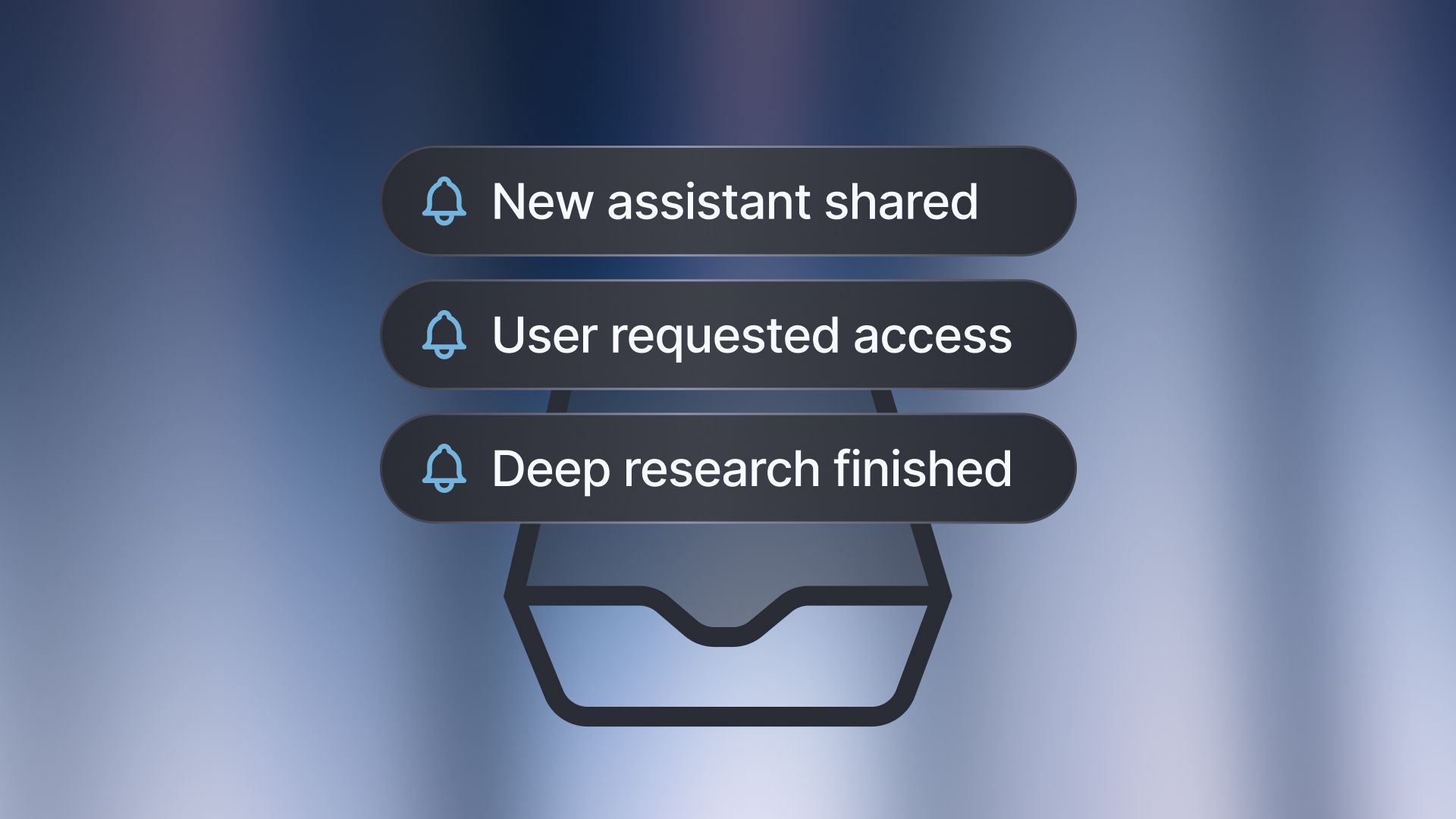
You can now receive important, personalized notifications directly in your inbox, so you never miss an update and always stay on top of what matters.
What’s new?
The new “inbox notifications” feature delivers relevant updates straight to your inbox. With just one click, you can jump directly to the related request or completed result.
When do you receive notifications?
Assistant shared: When someone shares an assistant with you, you’ll get a notification in your inbox with a link to it and details on your access level. This lets you see what’s available and start right away.
Deep Research completed: For longer Deep Research requests, you’ll be notified as soon as the analysis is complete. Perfect for using your time efficiently while working on other tasks in parallel.
Access request (for admins): When a colleague requests access to Langdock, the request will appear directly in your inbox.
We will add many more inbox notifications in the coming months!
You can find the Inbox in the left sidebar, right below the chat search bar. The number of unread messages is highlighted, so you can easily spot them.
We’re looking forward to your feedback on this new feature!
New Image Models
A new generation of image generation models is now available in Langdock!
Until now, DALL-E 3 was the only image model available in Langdock. From now on, you can also access a new generation of powerful image generation models from Black Forest Labs, OpenAI and Google.
Starting today, the following image models are available in Langdock:
Black Forest Labs:
- Flux1.1 Pro Ultra
- Flux.1 Kontext (supports image editing)
Google:
- Imagen 4
- Imagen 4 Fast
- Gemini 2.5 Flash Image (Nano Banana)*
OpenAI:
- GPT Image 1*
The new models offer significantly improved image quality, more precise rendering of details and even better implementation of your creative ideas. With this expanded selection, you can now choose the perfect model for your specific use case and elevate your creative projects in Langdock.
How to use the new models:
To switch between the different image models, you can select the various models via the new button in the chat field and use them to generate images.
If you do not select a specific model, your default image model will be used for all image generation prompts. We have now set Flux1.1 Pro Ultra as the default model, which previously was DALL-E 3. You can choose your standard image model in your Account Settings under Preferences.

We are excited to hear what you think of the new models! 🙌
*These models are currently not available with EU hosting and therefore not enabled by default.
Claude Sonnet 4.5
We're excited to announce that Claude Sonnet 4.5 is now available to Langdock users!

Claude Sonnet 4.5 is Anthropic's most advanced model yet. According to several benchmarks, it compares to the GPT-5 models and even surpasses them in some areas. You can read more about the launch in the announcement from Anthropic.
As with the previous versions of Claude Sonnet, we recommend it for coding and creating text, since it has an authentic and realistic tone of voice.
We added two models to give you the choice on whether you want to use reasoning. The models are Claude Sonnet 4.5 and Claude Sonnet 4.5 Reasoning.
We host the models on Google Cloud and AWS in the EU.
The models are live already, and you can test the new Claude version today.
New and improved integrations
Integrations got a boost ⚡
Since launching our integrations platform, teams have been connecting their core tools to build more capable assistants. With Actions in Chat, you can now run integrations in any conversation.
To make the user experience of working with integrations even more seamless and powerful, we shipped:
- 15 new integrations to unlock more real-world use cases
- 10+ new ready-to-use Assistant Templates using these integrations
- Reliability and UX improvements across our most-used integrations
To get started quickly, duplicate a template, connect your tools, and customize the assistant to your own workflow.
New integrations
1. Asana: Interact with your Tasks, Attachments, Projects, Goals, and more directly from Langdock.
2. Google BigQuery: Create, manage, share, and query on your data.
3. Google Analytics: Generate reports, analyze traffic, and get real-time and content insights.
4. Google Tasks: Manage with you tasks and task lists seamlessly from Langdock.
5. Microsoft Planner: Create and manage plans, tasks, buckets, and comments to organize and track work across your team.
6. AWS Kendra: Search your enterprise data with natural language queries and retrieve index configurations.
7. Stripe: Manage payments, subscriptions, invoices, and financial data for your customers.
8. Personio: Manage and sync employee, HR, and payroll data across your organization.
9. Tableau: List workbooks, extract view data, get view images, and explore your analytics content.
10. Monday.com: Manage boards, track tasks, and collaborate with your team.
11. Miro: Retrieve content from boards, frames, cards, sticky notes, and more.
12. Eleven Labs: Convert text to natural-sounding speech and access conversation transcripts.
13. Statista: Search Statista's huge variety of statistics and get concrete data to visualize in Langdock.
14. Open register: Get access to structured, official German company registry data.
15. Pylon: Manage accounts, teams, issues, and knowledge bases to streamline support operations.
- Microsoft Teams: Find chats by member email or display name, not just topic, and send direct messages as well.
- Outlook Mail: Email search now allows way more detailed filtering, e.g., for folders, unread emails, and more. Also, shared Inboxes can now be accessed.
- Outlook Calendar: Easily schedule multi-person events with access to free/busy slots and support for multiple attendees per event.
- Google Drive: Assistants can now upload and download Google Drive files based on your instructions.
- Google Sheets: Append rows and fetch spreadsheet metadata like title, locale, and sheet info.
- Gmail: Send and receive emails with attachments directly from Langdock.
- Jira: Check out our improved issue formatting, comment support, and project-specific search.
- Confluence: Search pages with advanced filters, partial/fuzzy/phrase matching, and direct file URL search.
- Slack: Access and send messages to all private and group chats with improved channel discovery.
- Notion: Update pages and databases, retrieve multiple pages and their content.
Assistant Templates
We launched our Assistant Templates! 🎉
One of our most requested features is here: We built 24 different assistant templates based on popular use cases we’ve seen across our customers and our own team. Now, you can easily browse, use, and customize assistant templates.
Department-specific & general templates: Find assistants tailored for specific departments (e.g. Finance, Marketing or Sales) as well as general-purpose helpers.
Flexible usage: Use assistants directly or customize the templates by adapting the instructions, adding knowledge folders, or connecting your own integrations.
Built-In best practices: Each template reflects proven approaches to boost productivity and efficiency.
Check integrations: Some assistants use integrations that may not be enabled in your workspace. Make sure the required integrations are active and relevant for your use case.
Examples of available templates:
- Google Meet Meeting Transcription
- User Feedback Analyser
- Company Documentation Q&A
- Marketing Content Writer
- Langdock Integrations Builder
- Assistant Builder
We’d love your feedback and ideas for new assistant templates! We will keep on adding new templates over time.
Explore the Assistant Templates and let us know what you think!
Sync folders from integrations
You can now sync folders from your integrations directly into Langdock assistants.
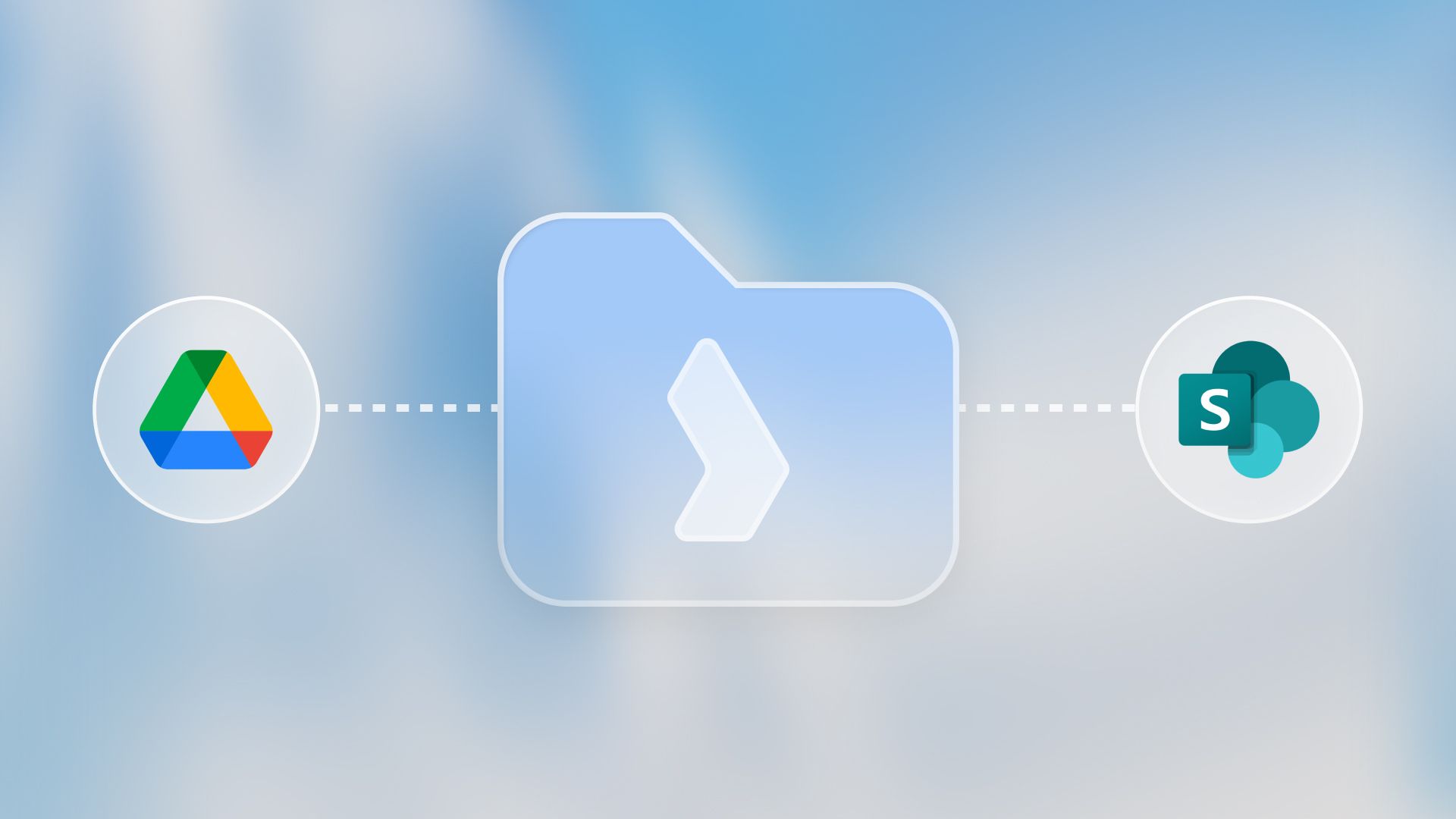
Supported integrations: Access files from folders in SharePoint or Google Drive directly within Langdock, to seamlessly interact with your knowledge base. Note: The integrations need to be enabled in the workspace.
Attach synced folders to assistants: Just like attaching individual files from your integrations, you can now attach folders to assistants. For example, you can attach a folder from your department, about a customer, or about a project you’re working on to your assistant. To attach a folder, just click on the “Attach” button in your knowledge section and search for your folder.
Always up-to-date: We synchronize all your folders daily for up-to-date information.
File limit and format restrictions: For now, up to 200 files per folder are supported. Spreadsheets and images are currently not supported.
Access control: Admins can configure who can use folder sync in the workspace settings under roles.
We look forward to your feedback, which will enable us to continue refining and expanding our integrations.
Actions in Chat
We're excited to announce a major productivity boost in Langdock: Actions in Chat! 🚀
You can now access powerful features directly from the chat by simply typing @. This new shortcut allows you to quickly select four different types of advanced actions directly in your chat. It’s a faster and more seamless way to work with multiple assistants, integrations, and knowledge folders.
Here’s an overview of the different Action types in Chat:
- Assistants: Instantly call your custom assistants to help with any task, right from the chat. This allows you to pull multiple assistants into the same chat. An example could be one changelog assistant that writes feature update posts and another assistant translating them to a second language afterwards.
- Integrations: We also made it easier to quickly use different integrations in the chat, without the need for building an assistant. We provide 35 pre-built integrations with over 300 actions. The exact integrations you can use depend on your workspace settings.
- Prompt Library: Of course, you can still use your prompt templates from your library. This functionality moved from the “/” to “@” to be consistent with the other actions.
- Knowledge Folder: Attach relevant knowledge folders to your conversation for smarter, more informed responses.
Actions in chat are helpful for easily combining assistants and integrations in your chat for one-time situations. Just type @ and get what you need, right where you’re working. For specific use cases that should scale across your teams and should be used regularly, it still makes sense to build an assistant with precise instructions.
This update helps you work even faster and more efficiently in Langdock. As always, we look forward to your feedback and can’t wait to see how you use Actions in Chat!
- Improved platform performance & speed: We worked on a lot of improvements in the last days, which make Langdock faster, smoother, and more reliable with quicker load times and improved stability.
- Enhanced Outlook calendar integration: You can set up recurring events, host online meetings, and choose meeting providers with ease. Scheduling is simpler with bulk event deletion, better filtering, and smarter time suggestions.
- Integration of Microsoft Planner: Manage plans, tasks, and buckets effortlessly. View comments and automate workflows when tasks are created or completed.
- Integration of AWS Kendra: You can search AWS Kendra with natural language queries, advanced filters, and personalized results, making it easier to find the right information quickly.
GPT-5
We’re excited to announce that GPT-5 is now available to Langdock users!

OpenAI just released their GPT-5 series, their most advanced language models yet. We just added GPT-5, GPT-5 mini and GPT-5 nano to Langdock. The models are an upgrade to the previous GPT-4.1 models - GPT-5 mini already performs better than GPT-4.1 and even o3 in some domains.
With a much larger context window and faster response times, GPT-5 enables more seamless and productive workflows—whether you’re handling complex research, generating long-form content, or building advanced assistants.
The key highlights are:
- Enhanced Reasoning & Coding: Achieve better results on technical, analytical, and programming tasks.
- Longer Context: Work with extended documents and conversations without losing context.
- Faster Responses: Enjoy a noticeably quicker, more interactive response time.
We just added the models to Langdock, so you can now select the model in your chats and assistants.
Projects
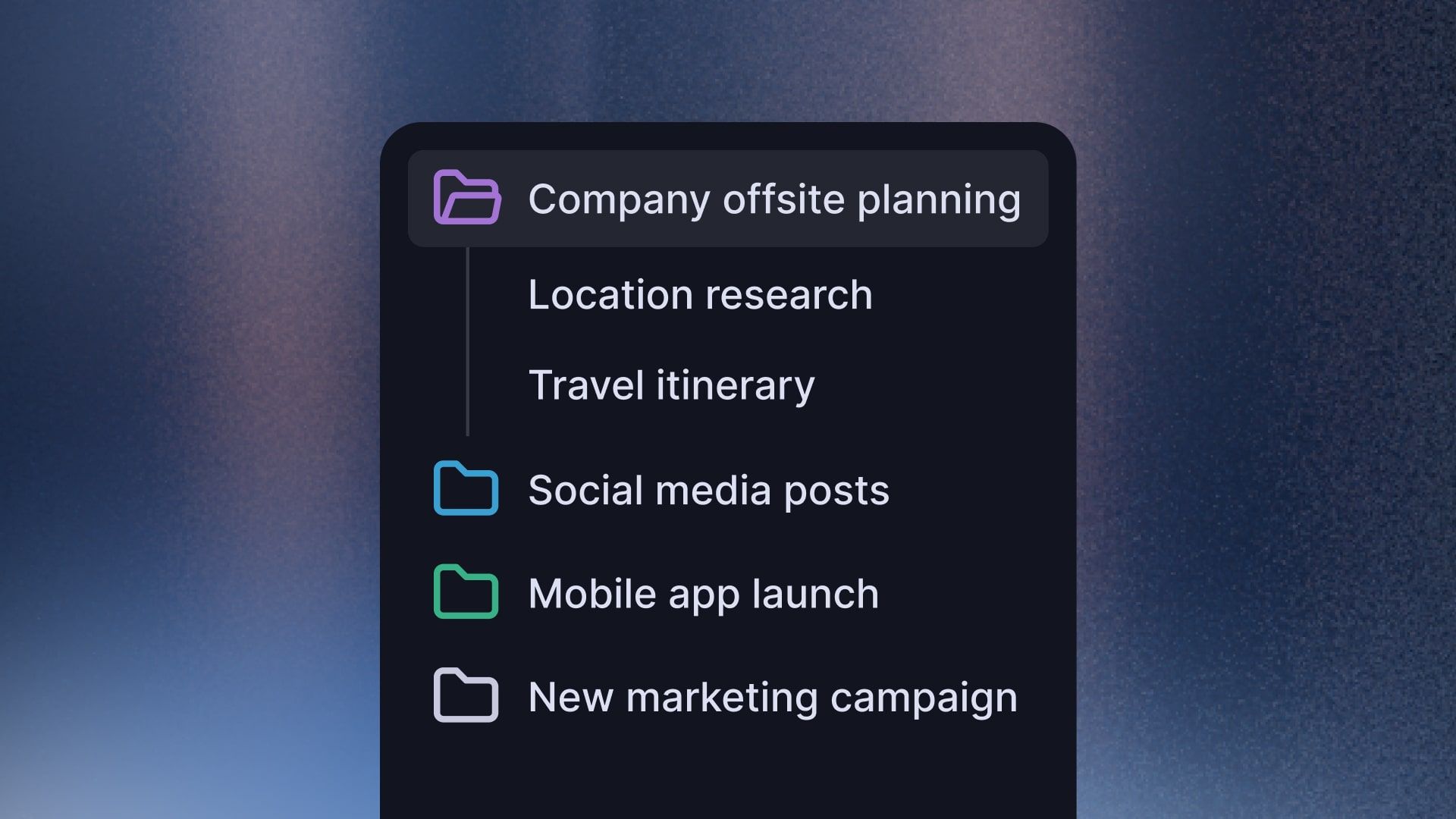
We're excited to introduce Projects, a new organizational feature that gives you more flexibility in organizing your chats and helps you work on bigger projects.
What are Projects?
Projects allow you to group chats together in a specific context. Whether you’re working on the next big marketing campaign or other project, all of your chats will stay together. To improve your workflow even further, you can attach custom instructions and files to each project.
Each project includes:
- Attached files that are accessible across all project chats without re-uploading
- Project-specific instructions that customize AI behavior for those chats
How Projects Work
- Create a project for your specific purpose
- Upload relevant documents
- Set custom instructions to guide AI behavior for this project
- Start chatting with full access to project context and files
You can create your first project from the sidebar. We'd love your feedback on how this fits into your workflow!
MCP Support
We are excited to announce that Langdock now supports the Model Context Protocol (MCP)! 🚀
What is MCP?
MCP is an open protocol that standardizes how AI applications connect to data sources and tools. Think of MCP like a USB-C port for AI applications. Just as USB-C provides a standardized way to connect your devices to various systems, MCP provides a standardized way to connect AI models to different data sources and tools.
More specifically, you can connect your assistants to remote MCP servers over the internet. This offers more integration possibilities with different data sources in addition to existing integrations.
Key Features
- Flexible Authentication: Works with both simple API key authentication and secure OAuth connections for services that require it.
- Automatic Tool Discovery: MCP connections automatically find what tools are available from each server.
- Seamless Integration: MCP tools work naturally within your assistant conversations (can require confirmation and display inputs and outputs).
- Continuous Permission Management: MCP integrations work within our existing integration framework, so you can manage permissions, sharing, and usage just like your other Langdock integrations.
- Trusted Compatibility: We verified compatibility with popular MCP servers including Microsoft Docs, Cloudflare Docs, and GitHub. Generally, we support all open MCP servers (without authentication) and MCP servers with API-Authentication.
How to Get Started with MCP
You can set up MCP integrations, through the "Add integration" button in the integration menu. Then, you can select if you want to build an integration with JavaScript (as before) or connect a remote MCP server. To set up MCP integrations, users need permission to create custom integrations.
Detailed instructions can be found on our docs:
https://docs.langdock.com/resources/integrations/mcp
Note: MCP is still in a very early stage of development. We strongly recommend thoroughly testing any integrations you build using MCP before relying on them in production.
- Answer generation continues in the background: The response generation continues when users navigate away from chat.
- Optimize assistant instructions with AI: You can now optimize your assistant instruction with AI or dictate your prompt by clicking on the buttons in the instruction field.
- Optimized Assistant configuration: We switched the places of the input type and instruction fields in the Assistant builder to improve UX
- Dismissible notifications in the top right corner: You can now click notifications in the bottom right corner away.
- Improved CSV and Excel content preview: We improved the preview and handling of spreadsheet files when uploading them to assistants and chats.
- Enhanced model description cards: The model selector now includes precise capabilities and short descriptions, making it easier to select models with reasoning, web search, and data analysis capabilities.
- Improved assistant form builder: Assistant forms now support up to 15 fields.
- Custom model test button: Custom models now can be tested in the workspace settings with a test button.
- Attachments without text prompts: You can now submit files directly without a prompt.
- Context Actions: Previously, you had to manually add dependent actions like fetching a channel ID before sending a Slack Message to a Group Chat so the assistant could perform this task correctly. This often meant trial and error to figure out why the assistant wasn’t working as expected. Now, for actions that require additional information like IDs, the action by default includes the necessary dependent actions. You will see this denoted by a small link icon on the action tile and when you open the action by clicking the small toggle.