Changelog
We're constantly working on new features and improvements. Here's what's new with Langdock.
Get Started Guide

We’re introducing the Get Started Guide – a personalized onboarding experience that helps every user interactively discover the Langdock platform.
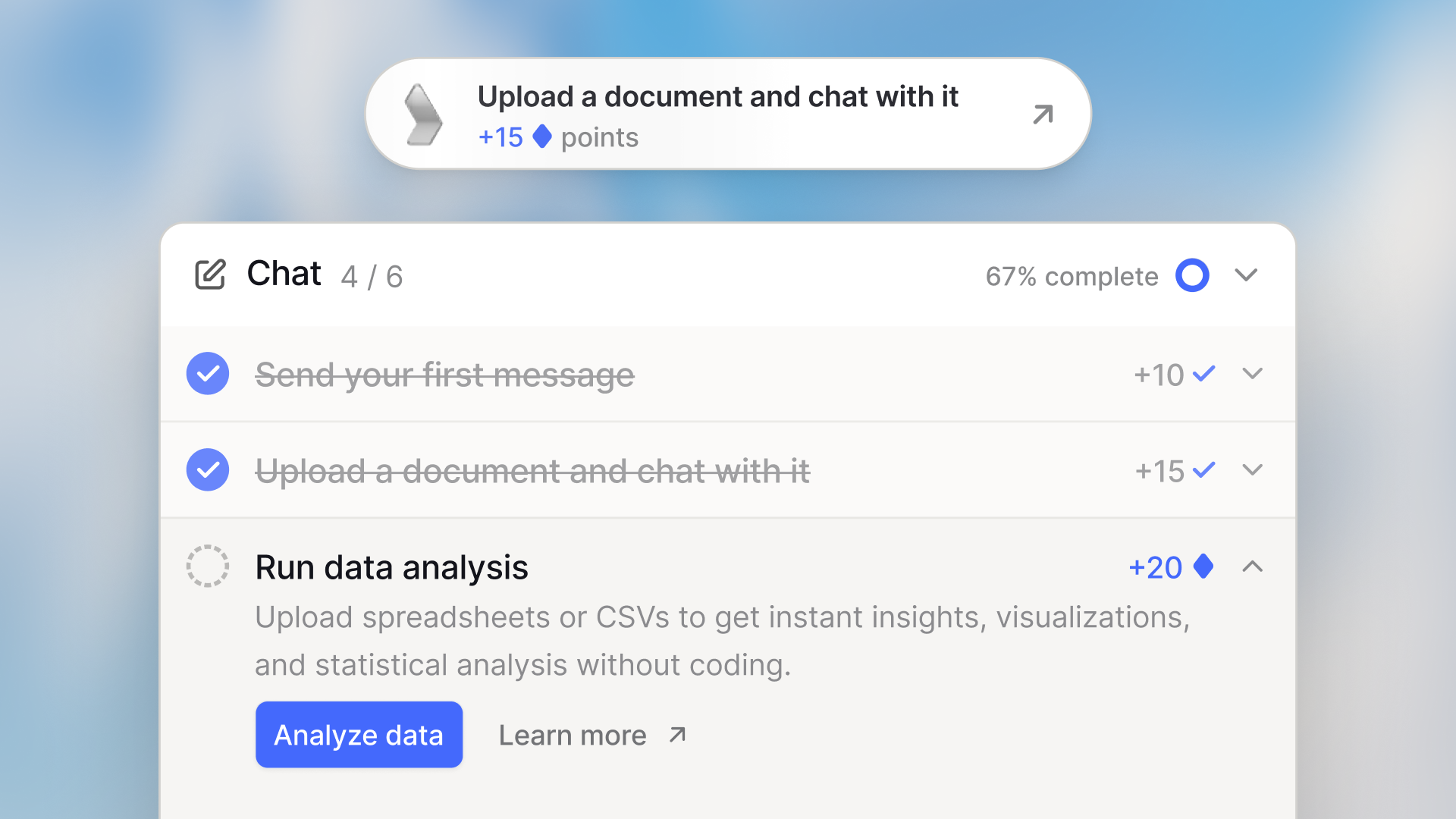
When teams adopt Langdock, users often start with chat and gradually discover the rest of the platform on their own. The Get Started Guide helps here by giving every user a checklist of tasks across the entire Langdock platform, with points and progress tracking to keep things engaging.
How it works
When you open Langdock, you will find a new Get Started page with tasks organized by product area: Chat, Prompt Library, Projects, Agents, Knowledge, Integrations, and Workflows. Each task walks you through a key feature – from sending your first message to creating an agent with subagents.
Complete tasks to earn points and climb your workspace leaderboard. The guide adapts to each user so they only see the features most relevant to them and the ones they have access to. Admins can also see workspace setup tasks.
Spotlight tours
Many tasks include interactive spotlight tours that guide you step-by-step through the interface, so you always know exactly where to go and what to do next.
Leaderboard
A workspace leaderboard lets you see how your team is progressing. Admins can choose to anonymize leaderboard entries if needed.
Custom tasks
Admins can add custom onboarding tasks from the workspaces settings to guide teams through company-specific steps – for example, "Read our AI usage policy".
Who sees it
The Get Started Guide is automatically enabled for users who joined recently. If you have been using Langdock for a while, you can access the guide at any time by heading to your account settings – a useful way to revisit features you may not have explored yet.
Let us know how the guide works for your team 🙌
- Attach skills to agents and projects: You can now attach skills directly to agents and projects, giving them reusable instructions that guide conversations and improve outputs without needing to configure them from scratch each time.
- Trigger workflows from agents and chat: You can now run workflows directly from your conversations - either as actions attached to an agent, or by mentioning them via the @ menu in any regular chat.
- Saved filter on agents overview: The Agents overview page now remembers your sorting and filter preferences across sessions, so you no longer need to reapply them each time you visit.
- Improved deletion of artifacts: Before deleting an integration or knowledge folder, users now see exactly where it is being used — including agents, workflows, connections, and API keys — helping prevent accidental breakage.
- Additional skills imports: You can now import skills using the .skill file format in addition to the existing .zip and SKILL.md formats, making it easier to share and install skills across workspaces.
- Improved integration sorting: Integrations and actions are now sorted alphabetically by name across agents, workflows, skills, and chat, making it easier to find the right action quickly.
Skills
We are introducing skills – a way to save your instructions once and have Langdock apply them automatically, every time they are relevant.
Join our webinar
We will host a webinar on March 24th to walk you through our new skills. Get a firsthand introduction to what skills are and learn what new, exciting use-cases they enable for you. Sign up here!
Why we built this
If you use Langdock regularly, you have probably typed out the same instructions more than once. The format you prefer, the structure you always use, the tone you want. Skills fix that. Write your instructions once, and Langdock reads them in every conversation where they apply – no reminders needed.
What are skills
A skill is a reusable set of instructions stored in Langdock. Think of it as a briefing document for the AI. When you start a chat, your active skills are available in the background. The AI reads the description of each skill to decide which ones are relevant to your message, then follows the instructions automatically.
You do not have to reference a skill by name. Just ask for a status update – if you have a skill for that, Langdock will use it.
Creating a skill
There are three ways to get started:
- Create with chat – Describe what you want in plain language, and Langdock generates the instructions for you. The easiest starting point.
- Write instructions manually – Fill in a name, a description, and the instructions themselves.
- Upload a skill – Grab ready-made skills from public skill repositories and upload them straight into Langdock.
Skills and integrations
When you create a skill, you can attach integrations to it. When the skill is active, those integrations' actions automatically become available for that conversation – without you having to add them manually each time.
Example: a Gmail skill linked to your Gmail integration gives the AI access to read and draft emails whenever the skill is active.
Tips for writing good instructions
- Be specific about the output. Instead of "summarize things," write "write a three-section summary with: key decisions made, open questions, and next steps."
- Write the description as if explaining to a new colleague. Vague descriptions cause the AI to activate the skill at the wrong time – or not at all.
- Test before sharing. Install the skill, start a new chat, and see if the AI behaves as expected.
- Keep instructions focused. A skill that does one thing well is more reliable than one that tries to cover many cases.
Sharing skills with your team
Skills are private by default, but you can share them with individuals, groups, or your entire workspace. This means your team gets consistent outputs – same structure, same tone, same standards – without everyone having to set things up individually.
Admins can also apply a skill workspace-wide, so it is always active for everyone with no installation required. Workspace-mandated skills show a lock icon and cannot be disabled by users.
System skills
Langdock ships with built-in system skills out of the box – including generating PowerPoint presentations, Word documents, and more. These are always available without any setup. Just ask.
Head to the skills section in your sidebar to create your first skill, and sign up for our skills webinar here!
- Chat streaming in the background: When you navigate away during a long-running task and come back, Langdock now reconnects mid-stream so you can follow along in real time.
- Chat status indicators: The sidebar now shows a loading spinner while a response is streaming and a blue dot for unread conversations — both update in real time so you always know the status.
- Improved tool call summaries: Multiple consecutive tool calls are now grouped in a collapsible toggle, and each call shows a clearer status indicator (searching - searched - failed to search) — including for custom integrations.
- Improved attachment layout: Multiple file attachments in chat are now displayed in a compact, scannable layout — images appear in a thumbnail grid and documents are grouped with an overflow indicator.
- Sticky copy button in code blocks: The copy button now stays visible while scrolling through long code snippets, so you can copy without scrolling back to the top.
- Improved file error handling: Users now receive clearer, more specific error messages when file attachments or synced folders fail to process, making it easier to identify and resolve issues.
- Increased workflow executions: Workflows now support up to 100 hourly executions by default (up from 30), with a clearer error message that shows your current usage and directs you to the settings tab to raise the limit.
- Improved webhook trigger in workflows: When enabling "Wait for response" on a webhook trigger, a "Respond to Webhook" node is now automatically added to your workflow, reducing manual setup steps.
- Improved workflow node renaming: Renaming a workflow node now correctly updates all references to that node in condition and code nodes, preventing broken references after renaming.
- Chats in the sidebar: New conversations now appear immediately in the sidebar and their titles update reliably without requiring a page refresh.
Mobile App Update
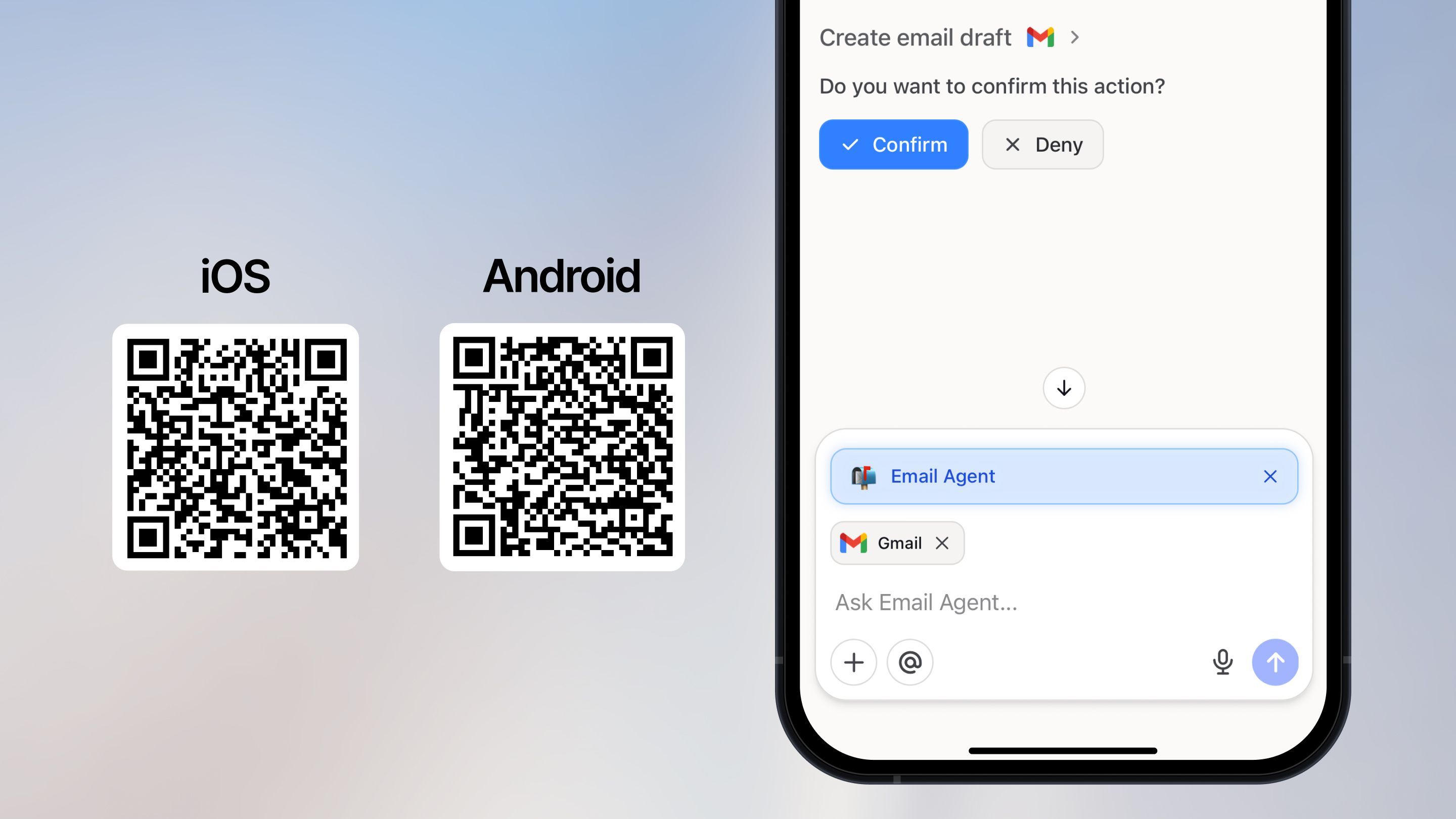
We're excited to announce a major update to the Langdock mobile app — bringing projects, actions in chat, and improved performance to iOS and Android! 🚀
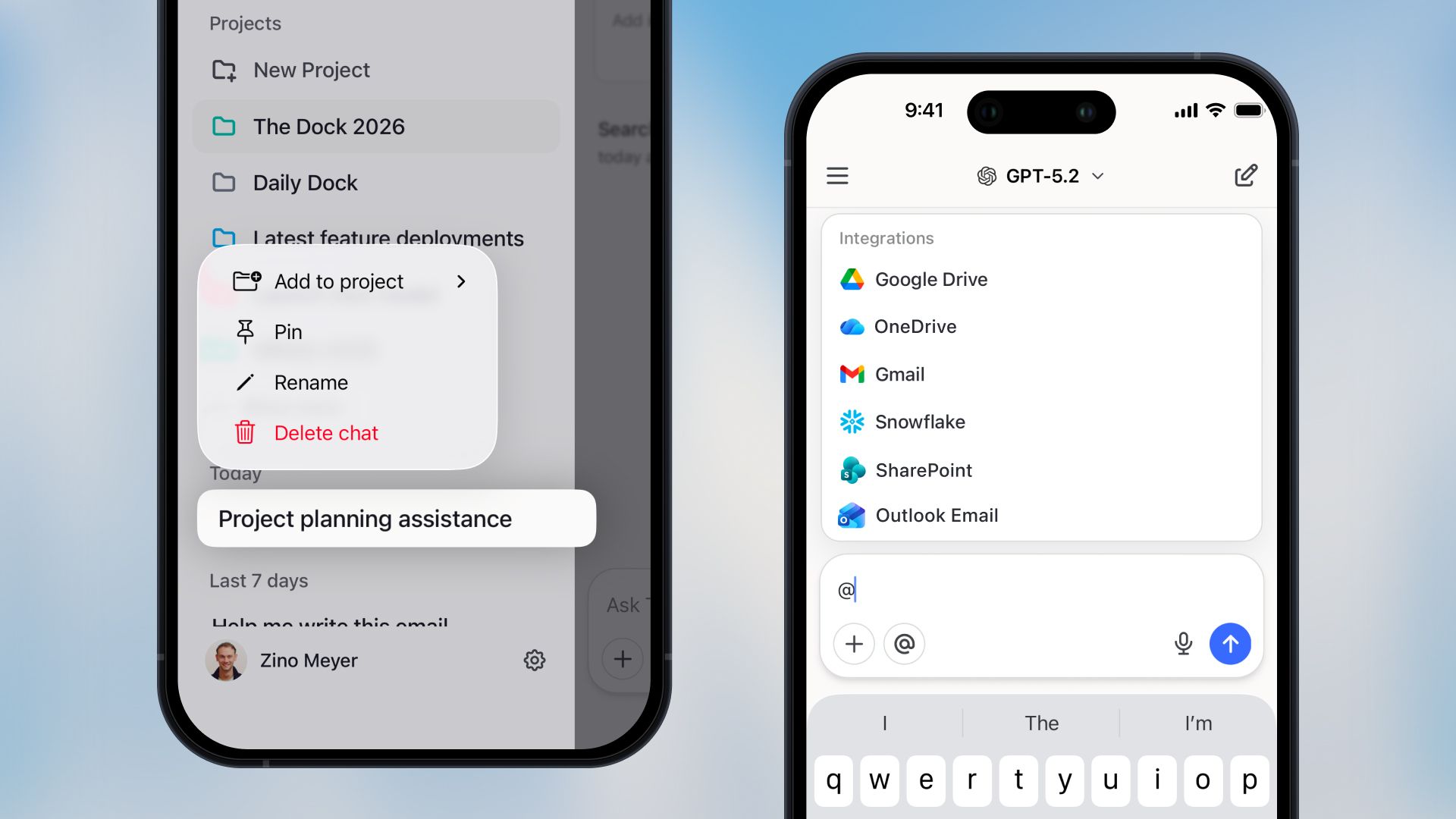
Projects on Mobile
You can now access and manage your projects directly from the mobile app. Browse your project list, edit project instructions, and continue project chats on the go. And read chats from shared projects so you can keep up with your team's work from anywhere.
Actions in Chat
Type @ in any conversation to access your integrations, agents, knowledge folders, and saved prompts — just like on desktop. Add multiple tools to a single conversation to combine resources and get things done without switching apps or agents.
Improvements
- Faster streaming: We've reworked the streaming pipeline for significantly faster and more stable chat responses, especially on longer conversations.
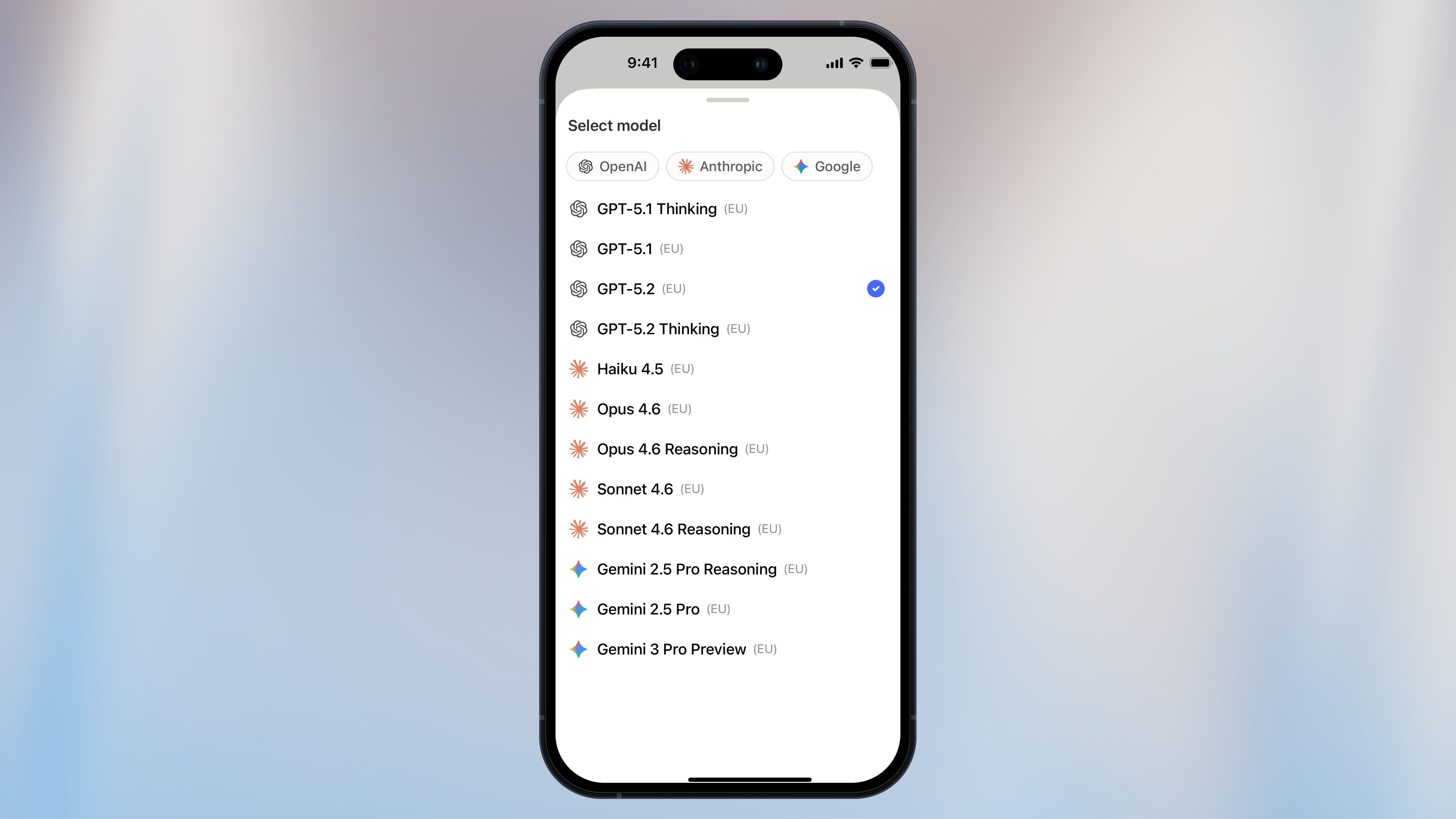
- Model filtering: The model selector now lets you filter by provider, making it faster to find the right model for your task.
- Workspace switching: If you're part of multiple workspaces, you can now switch between them directly from the sidebar.
Bug Fixes
- Fixed multi-line links not rendering correctly
- Fixed citation and source badges appearing incorrectly while streaming
- Fixed false "thinking" tool calls showing up in responses
- Fixed Deep Research not working properly in project chats
- Improved error messages and error handling throughout the app
We can't wait to hear what you think! Update your app to get the latest version. 🙌
- Collapsed long prompts: Long prompts are now collapsed by default, keeping your view clean and easier to read.
- API to manage custom integrations: You can now create and manage custom integrations via the API. This lets you work with integrations through your own pipelines without needing to use the Langdock interface. Check out our documentation to get started.
- Time and timezone awareness: Models now have access to the current time and timezone via a built-in tool, so they can give accurate answers to date and time-based questions.
- Improved audio transcription reliability: Audio input and transcription now caches results and automatically retries on errors, so you lose less work when something goes wrong.
- Workflow forms in iframes: Public workflow forms can now be embedded in iframes, making it easier to integrate them into your existing tools and websites.
- Per-workflow cost limits: Admins can now set cost limits for individual workflows. Previously, this was only possible as a global setting.
Claude Sonnet 4.6
Anthropic’s Claude Sonnet 4.6 is now available in Langdock! 🚀

Today, we are adding Claude Sonnet 4.6 to Langdock. It's the most capable Sonnet model yet and brings improved instruction following, consistency, and coding skills.
You can read more about the launch in Anthropic’s official announcement.
Like its predecessor, Sonnet 4.5, the model is available in two versions: one with reasoning and one without.
The model is hosted in the EU and available to all workspaces now.
To get you started quickly, we have automatically enabled Sonnet 4.6 and Sonnet 4.6 Reasoning models in all workspaces where Sonnet 4.5 was previously activated. Admins can manage model access in workspace settings.
Subagents
We are excited to introduce Subagents, a powerful new capability that allows you to embed Agents inside other Agents to solve complex, multi-domain tasks! 🚀
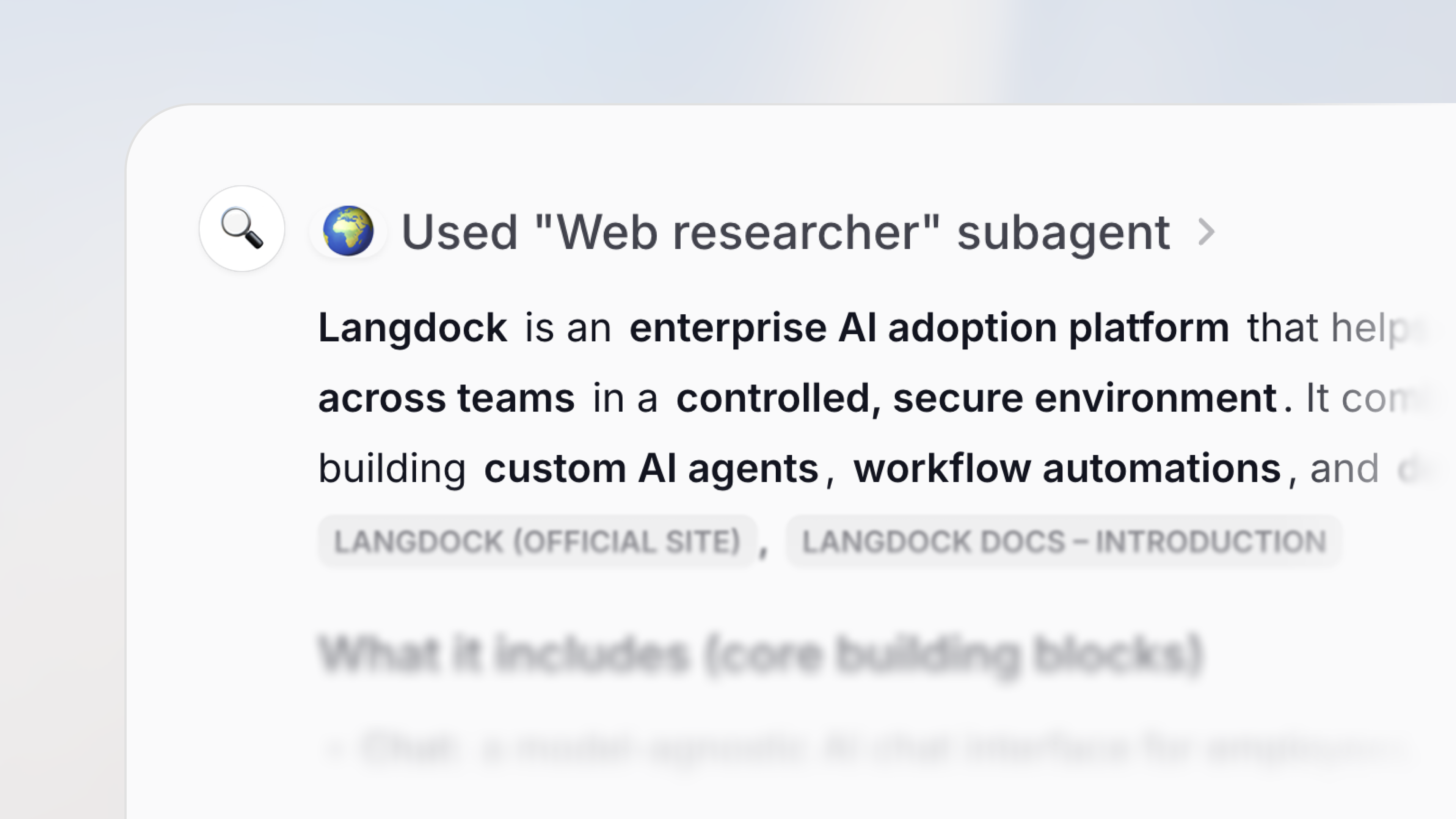
Until now, each Agent worked on its own. With Subagents, a parent Agent can call on its embedded agents mid-conversation to handle specific parts of a task. A contract review can pull in both your Legal and Finance Agents. A customer onboarding flow can involve Sales, Product, and HR, all automatically, in one chat.
Why we built this
As teams have built more specialized Agents, a clear pattern emerged: the most valuable tasks often require expertise from more than one domain. A contract review might need both your Legal Agent and your Finance Agent. A customer onboarding flow might involve your Sales Agent, your Product Agent, and your HR Agent. Asking users to juggle these manually defeats the purpose of automation.
Subagents solves this by letting you nest Agents together so they can delegate tasks to each other within a single conversation. The result is a more connected, intelligent system where your best Agents work together - just like your best teams do.
When to use it
Subagents are especially useful when:
- Your Agent's instructions are getting too long. Split responsibilities across focused subagents instead of cramming everything into one.
- A task spans multiple domains. For example, a contract review that needs both Legal and Finance expertise, or a hiring workflow that involves HR and the hiring manager's team.
- You already have well-built Agents. Reuse them as subagents without duplicating setup or maintaining two versions of the same logic.
Good to know
Delegation happens automatically - the parent Agent decides when to call a subagent based on the conversation. Action approvals still apply: if a subagent needs to send an email or update a record, you'll be asked to approve first.
Only editors and owners of an Agent can add subagents to it. Nesting goes one level deep, meaning a subagent can't call other subagents. Subagents run independently and don't see the parent Agent's conversation history.
Request Access to Agents
We've also added the ability for users to request access to Agents they don't have permission to use. This comes up in two places:
- Access denied screen: If you try to open an Agent you don't have access to, you can now request access directly from that screen.
- During a conversation: If the parent Agent tries to call a subagent you don't have access to, the delegation pauses, and you can request access right from the chat.
Agent owners can review and approve or deny requests in the Agent's sharing settings, keeping governance clean without slowing anyone down.
We can't wait to see what your Agents build together! 🙌
Claude Opus 4.6
Anthropic’s Claude Opus 4.6 is now available in Langdock! 🚀
As of today, we are adding Claude Opus 4.6 to Langdock. Opus 4.6 is Anthropic's new flagship model and a direct upgrade to Opus 4.5. It is more capable at coding, reasoning, and long-context tasks.
The model is also better at deciding on its own when to think more deeply and when a quick response is enough, so users should observe faster answers on simple questions without losing quality on harder ones.
You can read more about the launch in the Anthropic’s official announcement.
Like its predecessor, Opus 4.5, the model is available in two versions: one with reasoning and one without.
The model is hosted in the EU and available to all workspaces now.
To get you started quickly, we have automatically enabled Opus 4.6 and Opus 4.6 Reasoning models in all workspaces where Opus 4.5 was previously activated. Admins can manage model access in workspace settings.
New Labels and Overview for Agents
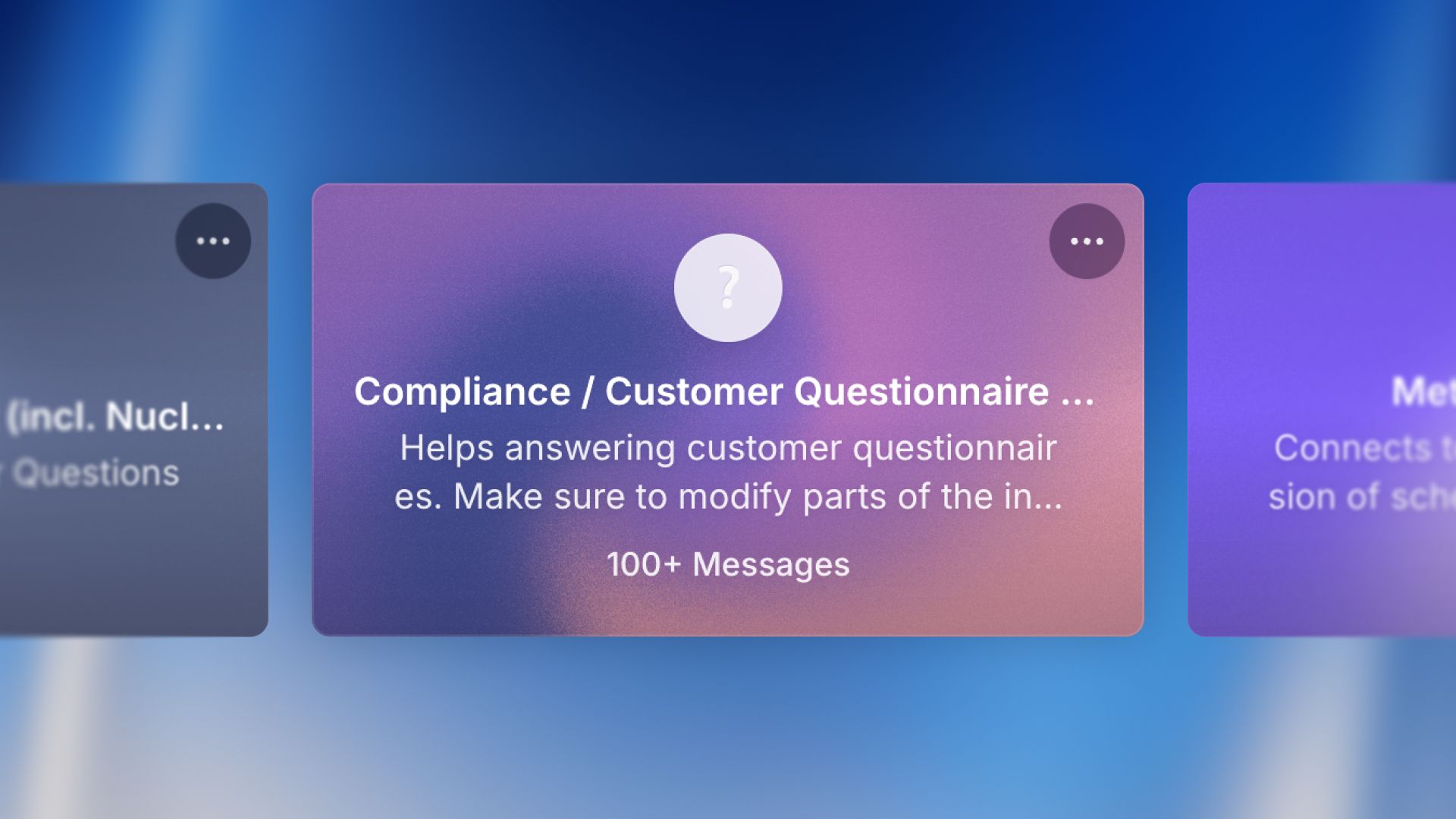
We have redesigned the Agents page and added labels to Agents so that it is easier to discover, organise, and find the right agent for your requirements!
As teams expand and create more agents, it can be tricky to find the right one. We want to give you the tools to organise, filter, and surface the most relevant agents, whether you are looking for something you used yesterday or exploring what your team has built.
What's new
1. Improved Navigation
The agents page arranges agents into clear sections to help you find what you need faster:
- Highlighted agents are featured by admins at the top of the page
- Recently used agents are the ones you have interacted with most recently
- Recently shared are agents that have been shared with you
- Popular in your workspace are agents that are frequently used by your team
- All agents, which features your complete agent library
2. Advanced Filtering Options
We also added filters, with which you can narrow down agents effectively. The filtering options are:
- The creator of the agent
- The labels assigned to the agent
- The integrations used in the agent
- Who the agent has been shared with
- Whether the agent has been verified by admins
- The date the agent was created
You can, as before, search for agents using the search bar.
3. Agent Labels
You can now add up to 3 labels to your agents to help others discover them more easily. Choose from default labels like Marketing, Sales, HR, and Engineering, or custom labels created by your workspace admins. Labels make it simple to categorize and filter agents by team, use-case, or function. Labels can be added at the bottom in the agent configuration.
4. Highlighted Agents
Workspace admins can now highlight up to 4 agents for everyone in the workspace at the top of the agents page. This makes it easy to promote the most useful or frequently needed agents across your organization. Admins can click on three dots when hovering over an agent and apply the “Highlight”.
We can't wait to hear how you use labels and filtering to organize your agents! 🙌
Company Knowledge
We are excited to introduce Company Knowledge, a new way to search across all your connected data-management platforms directly from Langdock chat!
Your company’s knowledge may be spread across many tools like SharePoint, Google Drive, Outlook, and Teams. Langdock brings it together. With Company Knowledge, you can now search for information across all your connected platforms and get a single answer.
Why we built this
Since launching our integrations, teams have been connecting tools like SharePoint and Google Drive to build more capable agents. But we noticed that many of you were searching for information that lives across multiple systems, making it difficult to look for information from different sources. Instead of switching between apps or running separate searches, you can now query all your tools at once and get a synthesized answer with direct links to the source documents.
How to use Company Knowledge
Search from the chat
Click the "Company Knowledge" button in your chat input bar. Select the platforms you want to search, ask your question, and get a single answer pulled from across your integrations.
Watch it work
A timeline panel shows what Langdock is doing in real time: which searches are running, which documents are being read, and how it reaches its answer. You can simply collapse the panel if you just want the final response.
Go to the source
Every answer includes direct links to the original documents. Click through to verify information in SharePoint, Google Drive, or wherever the file lives.
Content-driven search
Company Knowledge does not just search for file names. It opens documents, examines the information, and decides whether the content is complete or whether a further search is needed. This means Langdock can intelligently follow leads across your file systems and discover relevant information that a simple keyword search would miss.
Permission aware
Company Knowledge respects your existing access controls. You only see results from documents you already have permission to view in each connected system.
Supported integrations
Workspace admins can configure exactly which integrations are available for Company Knowledge in the workspace settings.
You can search across:
- Google Drive
- OneDrive
- Sharepoint
- Confluence
- Gmail
- Outlook Email
- Slack
- Microsoft Teams
- Google Calendar
- Outlook Calendar
- Linear
Note: We cleared up the chat input bar with this release. You can find the buttons for deep research, canvas and web search by clicking on the "+" on the left of the chat input.
This is just the first version of this feature. We are actively working on additional integration support, and can't wait for your feedback and to hear how you use Company Knowledge! 🙌
Updated File Permissions
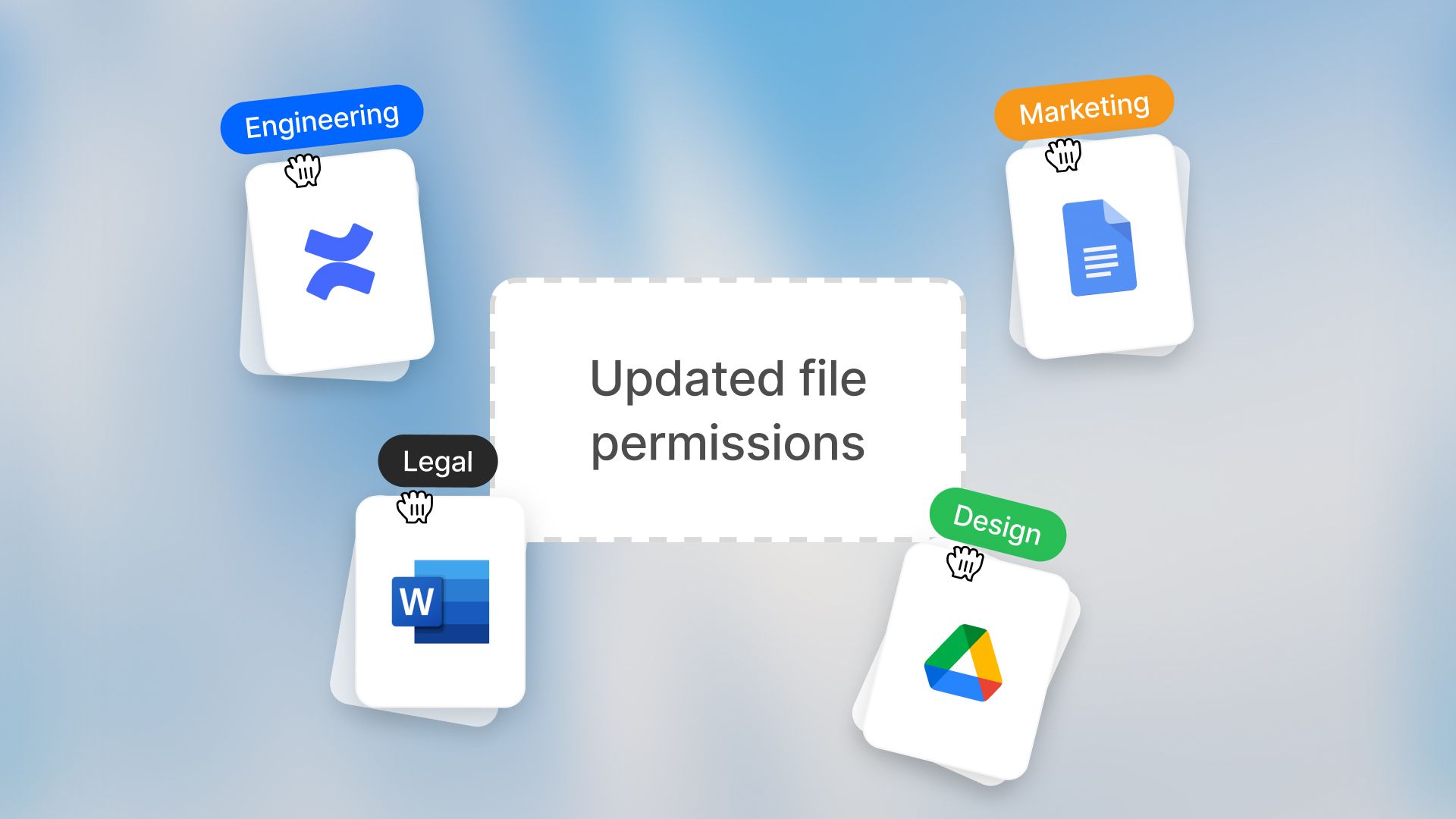
We are making an important update to how permissions work when you attach folders or files from third-party tools (like Google Drive or SharePoint) to your agents.
Old permission behavior
Previously, when you attached a folder or file from a third-party tool to an agent and shared that agent with others, everyone with access to the agent could work with the synced data - even if they did not have permission to view those files in the source system.
This meant that there were two places where permissions to access the folder needed to be managed: in the source system (such as Google Drive or SharePoint) and in Langdock.
New permission behavior
Users will now only be able to access files and folders they have permission to view in the source system. If someone tries to use an agent but doesn't have access to certain files, they'll see a clear message explaining which files they can't access, and responses will only use the files they have permission to view.
Why this matters
We know this change may affect how some of your agents currently work. However, this change aligns folder and file syncing with how integrations in agent actions have always worked: Users need their own connection and can only access what they're allowed to in the source system. This makes permissions consistent across all Langdock integrations and ensures your company data stays secure.
What you should check
We’ve already notified users who created agents with attached data from an external source via email to prepare for this change. Here’s what we recommend for a smooth transition to the new permission behaviour:
- Review agents where you've attached folders or files from third-party tools
- Check who has access to those agents
- Ensure everyone who uses the agent has the right permissions in the source system
We’re looking forward to your feedback on this one! 🙌
- Improved chat sorting: Search results via "Search chats" in the left navigation bar and via the command bar are now sorted by recency for more relevant results.
- Descriptive chat titles: Chat and workflow titles are now more descriptive, shorter, and generated in the user’s primary language.
- Enhanced file search: Native search pickers now display parent folders and full hierarchical paths for better file identification.
- Deep research disabled after use: After deep research has been used, the button is now disabled to not trigger a new search immediately, since users prefer to send normal prompts to further work on the research outputs and process the findings.
- Hide group members: Group admins and workspace admins can now hide the member list of a group for its members for compliance reasons.
- Agent user feedback: Agent creators now receive notifications in their inbox when other users leave feedback on their agents.
- Import/Export agents and integrations: Users can now import/export agents and integrations via JSON files.
- Increased action output: The max action output has been increased from 150k to 200k characters.
- Saving @-actions in the prompt library: We added the ability to save @-actions in your saved prompts. This allows you to predefine which agent, knowledge folder, or integration you want to use.
- Send button for small screens: On small screens, pressing the enter key now creates a new line and does not send the prompt anymore. On large screens enter still sends the prompt.
- BYOK model replacement: BYOK admins now have the option to select a replacement model when removing custom models. All agents, chats, and workflows are automatically updated to the new model, which is especially helpful when sunsetting models in favor of newer models.
- New MCP version supported: We upgraded our MCP support to version 2025-11-25 to support additional MCP servers. Previous MCP servers are still supported.
- Automatic MCP server detection: When creating a new MCP integration, the server name and icon are now automatically fetched from the URL, without a manual entry needed.
Project Sharing
We are excited to introduce project sharing, an update that has been requested frequently since we launched projects in July! 🚀
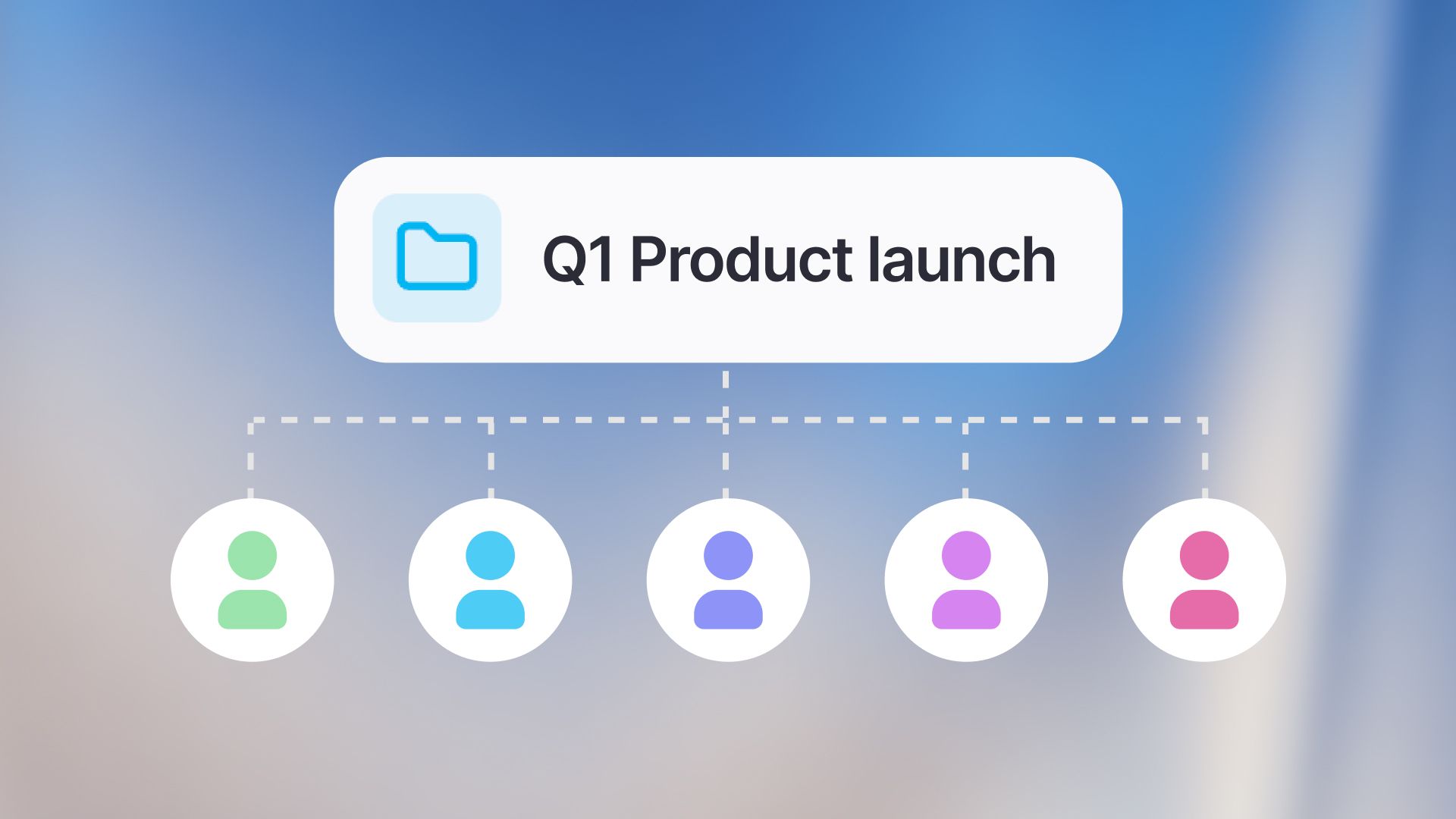
Until now, projects have been a great way to organize your own chats and configure context through instructions and files for smaller projects. With project sharing, we are turning them into a powerful collaboration tool. You can now share entire projects, including all contained chats, files, and instructions, with your colleagues or entire groups.
Why Project Sharing?
Projects have always been great for organizing your own work. But we noticed that many of you were using them to structure work that is actually done collaboratively. Collaboration often happens in context, not just in single messages. When working on projects like a marketing campaign, a research topic, or a coding sprint, you often need to share the full picture, including files, instructions, and history. Instead of sharing individual chats one by one, you can now give your team access to the entire context of a project and allow others to build on top of your work.
Key Features
Flexible Sharing
You can now share a project with specific users or groups in your workspace. Everyone with access can view the chats, files, and custom instructions within that project. This is perfect for onboarding new team members to a topic or keeping everyone aligned.
Better Organization
To help you manage shared and private projects, we have updated the project’s sidebar and added filtering options to the project view. You can now easily filter chats created “By you" or "By others" to keep your workspace clutter-free.
Granular Permissions
You stay in control of your data. When sharing a project, you can manage access by choosing the roles of your collaborators. Editors can share the project with others, change the project title, update instructions, and manage attached files. They can also add new conversations to the project. Users have read-only access. They can see project configurations, read all chats, and view project contents. All conversations added to a shared project, whether existing or new, are visible to all project members.
Important: Regardless of your role, you are the only one who can change, rename, or delete your own chats, even if the project is deleted.
Project Sharing is available starting today. To share a project, open your project and click on the "Share" button at the top right.
We can’t wait for your feedback and to hear how you collaborate! 🙌
Microsoft Teams App
We are bringing Langdock even closer to where many of you collaborate every day by adding Langdock to Microsoft Teams 🤝
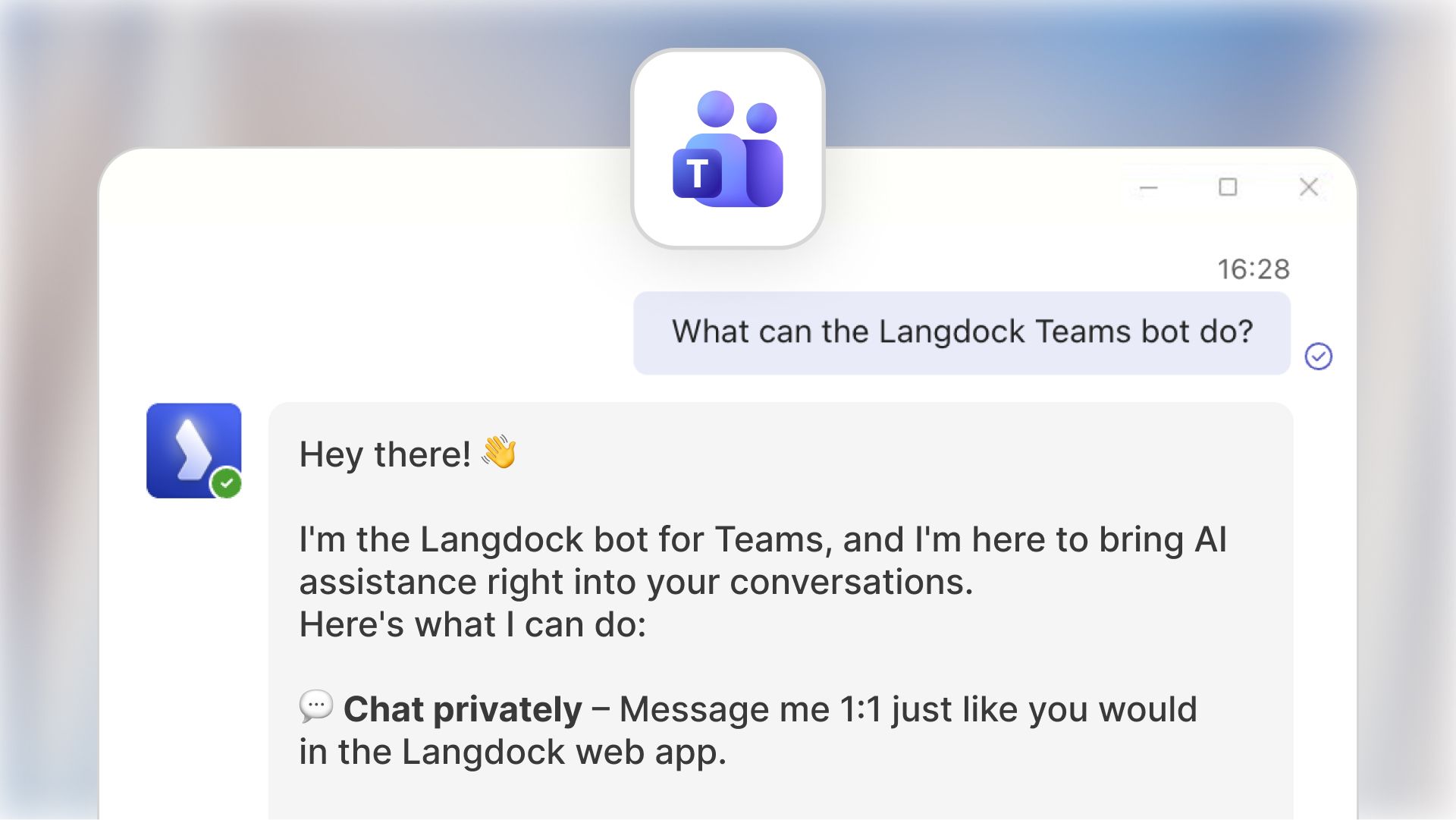
With the new Microsoft Teams App, your team can now use Langdock models and Agents directly inside Teams - in a private chat or collaboratively in channels. This especially helps with small ad-hoc situations every day. Example use cases are translating text really quickly or researching smaller topics without needing to open Langdock.
How to use the Teams App
Private conversations with Langdock App
Chat 1:1 with Langdock just like in the web app - full context, full capabilities, zero friction. Click on “New chat” and type “Langdock” to open a chat with the app.
Channel collaboration with @Langdock
Alternatively, you can pull Langdock into any channel you have (channels for a specific topic, indicated by a main message and thread with replies to this message). The app only reads the entire thread once mentioned with @, to help you with the current topic.
Working with the App in chats
You can also work with the app in chats you have with other users. Here, you can also tag the app with @ and then your prompt. The model can only reference this individual message, but not the entire chat.
Main Features
Selecting your default model
When pulling the app in your chat, you can either use the default model (e.g., GPT-5.1) or select a specific agent. The model is a good default for quick needs like explanations or smaller questions.
Agent selection inside Teams
Start a conversation with any Langdock Agent - from Translators to HR FAQ Agents - directly inside Teams.
File & image support
Upload documents or images in Teams messages - Langdock can read and analyze them just as it does in the web app.
Why we built the Teams App
Many teams use Microsoft Teams to collaborate and communicate with others. Many users have requested a way to use Langdock in Teams, as they already use the app several times a day. Teams becomes a natural extension of Langdock to help your team collaborate faster, and embed Agents into everyday workflows - from shared problem‑solving to specialized channel setups.
How to get started
Your workspace admin can install Langdock from the Teams Admin Center.
After installation, users can simply search for Langdock in the Teams apps.
If you want to dive deeper, check out the setup guide and usage guide.
We’re looking forward to your feedback on this one! 🙌
Assistants are now Agents
We're renaming Assistants to Agents across Langdock! This change reflects how the product has evolved and how the market and many of you talk about AI.

What's changing?
Only the name. Your existing assistants keep all their capabilities, configurations, and sharing settings. Everything works exactly as before.
Why Agents?
When we launched Assistants in the summer of 2023, the market was figuring out basic functionality, like how to let AI work with a few documents. Since then, the capabilities have grown significantly. What started as rather simple chatbots can now handle large file collections, work with tabular data, connect to your tools, and much more. They use agentic behavior to choose the right approach and tools for each task, working within the configuration you define.
The term "Agent" has become the industry standard for what we used to call Assistants. Many companies, such as Microsoft and Google Enterprise AI, use this terminology. More importantly, we've heard from many of you over the past months that users are used to the term "Agents" or even ask whether Langdock has agents available.
Why now?
This change comes with the launch of Workflows a few weeks ago. Agents and Workflows are complementary products: Agents are your interactive AI assistants for specific tasks, while Workflows let you chain multiple building blocks together (including multiple agents) to automate larger processes in the background.
What does this mean for you?
No action is required from you! The transition happened automatically, and we've updated all documentation to reflect the new terminology.
The assistant API remains unchanged by these changes for now. There will be a separate notification early next year to communicate the changes.
The Langdock platform now consists of the following products: Chat, Agents, Workflows, Integrations, and API. Renaming a core product isn't something we do lightly. We've thought carefully about this and talked to many of you. Ultimately, it made sense for us given how the product and market have evolved.
We'd love to hear your feedback on how we can continue to improve Agents for you! 🙌
- Support for Gemini 3 Pro: We added support for Gemini 3 Pro. The model required some additional configuration options to function properly. Currently, the model is only available as a global deployment and not yet as an EU-hosted model. BYOK customers can add the model in the model configuration. For customers who use models offered by Langdock, we added the model as a global deployment, and admins can enable it in the workspace settings.
- Deactivate workflow nodes: Workflow editors can now deactivate workflow nodes by clicking on the three dots at the top right.
- Building workflow triggers: Until now, you had to be allowed to build custom integrations and have workflow access to build triggers for integrations. Now, all users who are allowed to build integrations can build triggers. You can go to your custom integration and add the trigger like you would add an action.
- Updated MCP version: We upgraded our MCP support to version 2025-11-25 to support additional MCP servers. Previous MCP servers are still supported.
- Change order of image models: Admins of BYOK workspaces can now change the order of image models, like the order can be changed for other models.
- Agent Forms: Forms in agents had up to 15 fields until now. We increased the limit to 25 fields.
- API to create and update agents: We launched new API endpoints to create new agents and update existing agents via API. See our assistant API documentation here.
Workflow Improvements
Since launching Workflows a few weeks ago, our team has been working on a lot of improvements and performance upgrades for the product to make the experience smoother and more powerful. As a lot of users have requested, we have focused on making building, testing, and refining your workflows easier than before. Thank you again for all the feedback - see our launch video below!
Here is a list of all major updates:
New node: Loop
Enhance your workflows by automating repetitive actions. Loop nodes allow you to perform a selection of nodes multiple times before moving on to the next node. This helps with repetitive actions or iterating over a list of items.
New node: Generate image
Image generation now also works in workflows. This is perfect for visual automation and creative tasks if you regularly need to generate images. Simply select the ‘Generate Image’ node, and choose your preferred image model to get started!
Re‑run Failed Executions
If something doesn’t go to plan, you can now retry failed runs instantly without restarting the entire workflow.
Custom Webhook Responses
Workflows can now send real‑time replies to incoming requests. This is great for syncing with apps like Slack or notifying other systems instantly.
File Uploads via Webhooks
You can now send files directly into your workflows from external applications, opening up even more integration possibilities.
Sidebar Pinning
Just like you can pin your assistants to the sidebar, we have also implemented pinning for Workflows. Now, you can keep your favourite workflows just a click away!
Workflow Chat Context
You can now personalise the behaviour of your workflow chat by adding your favourite tools, such as Gmail or Outlook, HubSpot or Salesforce, directly as context to the Workflow builder. Simply open the chat and click ‘Set up’ to customise how workflows are built for you.
Customise Workflow Submission Forms
When creating a workflow form, you can now customise the submission experience. Adjust the colour, description, and name of the submission by unfolding the ‘Customisation’ section during form creation.
These improvements can help with simple daily tasks, like reminders or quick research, as well as more complex, multi-step processes. We can’t wait to hear what you think!
Improved PDF Processing
We've improved how we process PDFs to better handle visual content.

Until now, when you uploaded a PDF to Langdock, we extracted the text from it and sent it to the AI model, and created so-called “embeddings” to enable the model to perform a semantic search on the PDF. This allows the model to generate qualitative responses based on the uploaded file.
To further improve this processing, we now also take screenshots of pages and provide them to the model. In simple terms, this gives the model “eyes”, so you can now ask questions like “Describe the details of the graphic on page 26" and get accurate answers, since the model can now actually "see" the document content. The model now has a new “view page” tool for inspecting pages, which is particularly helpful for images, charts, logos, and other visual elements.
As always, let us know what you think! 🙌
- File size support increased: We increased the character limit for sizes from 4 million to 8 million characters.
- Project limit increased: We increased the limit on the number of projects that can be created from ten to 30.
- Voice input limit increased: We increased the limit of the voice input duration from five to ten minutes.
- Performance improvements: Our engineering team has deployed larger performance improvements over the last few weeks, resulting in faster page loading times and smoother answer generation.
- Model key pooling: Bring-your-own-key customers can now pool model deployments in separate regions. This helps increase rate limits and allows for another region to serve as a fallback in case the model encounters an error.
- Updated documentation: Over the last year, more features have been added to the product, and our documentation has grown accordingly. We cleaned up the structure, translated the documentation into German, and launched documentation for workflows. You can find the documentation here: https://docs.langdock.com/
Claude Opus 4.5
Anthropic’s Claude Opus 4.5 is now available in Langdock! 🚀
The new model introduces enhanced capabilities for coding, agentic workflows, and handling complex tasks.
Claude Opus 4.5 delivers improvements in reasoning, providing clearer answers with less technical jargon.
You can learn more about the model in Anthropic’s official announcement.
We have automatically enabled Opus 4.5 in all workspaces where Claude Sonnet 4.5 was previously activated.
Like Claude Sonnet 4.5, the model is available in two versions: one with reasoning and one without. This allows you to choose whether you want the model to reason for your current request.