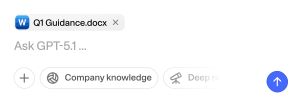
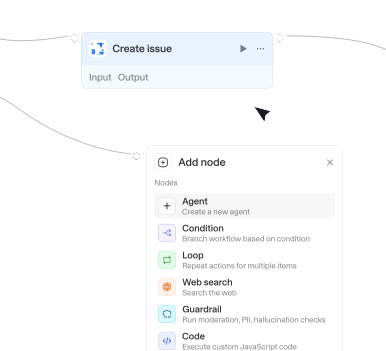
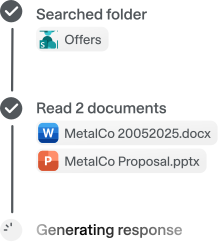
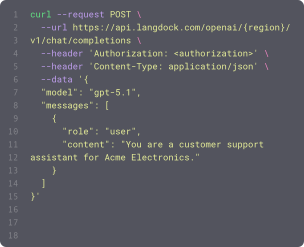
Power your agents and workflows with 57 available integrations and 754 native actions.




Get dashboard
Reads a Databricks (Lakeview) dashboard's metadata, its underlying SQL queries, and page structure. Accepts a dashboard ID or a dashboard URL.

Get database details
Retrieves the schema and metadata of a specific Notion database. Requires a database ID. Returns the database's property definitions, title, and metadata.

Get dataset schema
Gets table and column metadata from a Power BI dataset using the XMLA endpoint. Call this for tables, columns, schema, or table structure. It does not return measures or relationships. The complete catalog is always attached as a JSON file; inline lists are a preview of the first 3 items (and the first 3 columns per table). When the user wants a full semantic model, to describe a dataset including measures and joins, or to ground DAX, also call Get semantic model measures and Get semantic model relationships. Dataset accepts a name, URL, or ID; search_datasets if the name is ambiguous. Requires Premium Per User (PPU), Premium capacity, or Fabric capacity with XMLA endpoint enabled.

Get deal
Gets the full details of a single deal by its ID, with custom fields resolved to their labels.
Get deal context
Gets required information on deal properties, available stages, and the actual property values from a specific deal.
Get deal context
Gets a deal together with its attached products and activities, for a full picture of the deal in one call.





Get email
Gets the full content of a single email by ID and downloads all attachments. Set 'sharedFolderOwner' to the mailbox email address to fetch from a shared mailbox you have access to.
Get email with attachments
Retrieves a single email thread or message with full content including attachments. Returns all messages in the thread and their attachment files.



Get event
Retrieves a specific event by its ID, including attachment metadata (name, type, size) but not file content. Use Get event attachments to download attachment files. Supports shared/delegated calendars: pass a colleague's email in 'Shared calendar owner' to act on their calendar (they must have granted you edit rights); leave it empty for your own calendar.
Get event attachments
Downloads file attachments from a calendar event. Use after Get event when you need the actual files. Pass Attachment names to select which files to download; leave empty to download every file that fits the response size limit. Supports shared/delegated calendars via Shared calendar owner.

Get event invitees
Gets the invitees (attendees) of a scheduled event with their name, email, and responses.
Get events for specific date
Retrieves all calendar events for a specific date. Times are automatically displayed in the user's configured timezone. Use this for events on a specific single date like 'what do I have on Friday?' or 'meetings on March 15th'.

Get fields
Returns all Jira fields with schema metadata. Use this to find field IDs (e.g., customfield_12345) and understand their types.
Get fields
Returns all Jira fields with schema metadata. Use this to find field IDs (e.g., customfield_12345) and understand their types.
Get file
Gets / downloads a file from Sharepoint based on the item ID and attaches it to the chat, use this action to get the contents of a file.

Get file content
Retrieves the actual content of a file from a repository. Use get_repository_content first to find the file path, then use this action to read its contents.


Get file content
Retrieves the raw text content of a file in a project's repository. Use Get repository content first to find the path.

Get file metadata
Retrieves detailed metadata for a file by its ID including name, type, size, dates, and owner information.


Get folder by name
Retrieves a folder from OneDrive by its name or path. Supports nested paths like "Parent/Child/Grandchild".


Get folders
Lists folders you can access in UiPath Orchestrator (including Shared, personal workspaces, and Solution folders) and returns their IDs. Use this to discover the folder ID required by other actions — processes published from Studio Web often live under a personal workspace or Solution folder, not Shared.

Get frame items
Retrieves items within a specific frame, up to Limit (default 10). Pages through Miro's API (max 50 per request) until the limit is reached.

Get free/busy for calendar
Retrieves free/busy information for one or more calendars over a specified time range using the Google Calendar API /freeBusy endpoint.
Get Genie response
Gets a Genie response that was still processing when Ask Genie returned. Returns the answer, generated queries, and query results when ready.

Get goal
Gets detailed goal data including due dates and owner. Requires a goal GID from get_goals. Returns full goal details
Get goals
Lists goals in a workspace, optionally filtered by team, project, portfolio, or owner. Requires a workspace GID from list_workspaces. Returns goal GIDs, names, and owners
Get HubSpot owners
Retrieves all HubSpot owners/users with optional filtering by email. Returns owner IDs that can be used in hubspot_owner_id fields when creating or updating contacts, companies, deals, and notes.

Get incident metadata
Gets field definitions for the incident table, including labels, data types, required flags, and allowed values for choice fields. Use this action to discover which fields are mandatory in your ServiceNow instance before creating or updating incidents. Set onlyRequired=true to get only mandatory fields. Custom fields and their requirements vary by instance.
Get index configuration
Returns field configuration for your Kendra index. Shows field names, types (STRING, DATE, LONG), and properties (searchable, sortable, facetable). Run this BEFORE searching to know which fields you can use for filtering and sorting.

Get integration
Retrieves an integration's summary (name, auth type, action/trigger list) by default. Set includeDetails for auth configuration, action code/input fields, and trigger polling code. For a single action's code without loading every action, use get action.




Get items
Gets items from a Monday board. By default, fetches all items on the board. If not specified, get the limit for the board from the get_boards action output, use itemIds to look up specific items by ID across boards, or searchQuery to find items by exact name. Returns an array of items with their ID, name, column values, and file attachment metadata.
Get item updates
Retrieves the comment thread on a specific item. Requires an item ID. Returns a list of updates with author, text content, timestamp, and file attachment metadata on updates and replies.
Get job details
Retrieves full details of a UiPath job for deep troubleshooting, including expanded robot, process release and machine info, input/output arguments, error details, and (by default) the job's execution logs. Use this to investigate why a job behaved a certain way; for a quick status check use check_job_status instead.
Get jobs
Lists jobs in UiPath Orchestrator, optionally filtered by state, process name, and folder. Use to see what's running, find recent failures, or look up a job ID.
Get job statistics
Computes success and failure statistics per automation process over a time window, from UiPath Orchestrator job history. Use to report on automation reliability, e.g. how many jobs succeeded vs failed for a process this month. Each process also lists faultedJobIds (Ids of its Faulted jobs) you can pass to Get job details for root-cause analysis.

Actions
Triggers
Actions
Triggers
Actions
Triggers
Actions
Triggers
Actions
Triggers
Actions
Triggers
Actions
Triggers
Actions
Triggers
Actions
Triggers
Actions
Triggers
Actions
Triggers
Actions
Triggers
Actions
Triggers
Actions
Triggers
Actions
Triggers
Actions
Triggers
Actions
Triggers
Actions
Triggers
Actions
Triggers
Actions
Triggers
Actions
Triggers
Actions
Triggers
Actions
Triggers
Actions
Triggers
Actions
Triggers
Actions
Triggers
Actions
Triggers
Actions
Triggers
Actions
Triggers
Actions
Triggers
Actions
Triggers
Actions
Triggers
Actions
Triggers
Actions
Triggers
Actions
Triggers
Actions
Triggers
Actions
Triggers
Actions
Triggers
Actions
Triggers
Actions
Triggers
Actions
Triggers
Actions
Triggers
Actions
Triggers
Actions
Triggers
Actions
Triggers
Actions
Triggers
Actions
Triggers
Actions
Triggers
Actions
Triggers
Actions
Triggers
Actions
Triggers
Actions
Triggers
Actions
Triggers
Actions
Triggers
Actions
Triggers
Actions
Triggers
Actions
Triggers
Actions
Triggers
Actions
Triggers
Actions
Triggers
Actions
Triggers
Actions
Triggers
Actions
Triggers
Actions
Triggers
Actions
Triggers
Actions
Triggers
Actions
Triggers
Actions
Triggers
Actions
Triggers
Actions
Triggers
Actions
Triggers
Actions
Triggers
Actions
Triggers
Actions
Triggers
Actions
Triggers
Actions
Triggers
Questions & answers
What can I do with Langdock integrations?
Integrations let you connect Langdock to your existing tools so your agents and workflows can search documents, trigger actions, update data, or automate workflows across your apps.
Which tools can I integrate with Langdock?
Langdock supports a wide range of popular workplace tools like Google Drive, Notion, Confluence, Slack, Salesforce, Jira, Asana, and more. You can also build fully custom integrations for any API‑enabled tool.
Do I need to build my own integrations?
You don’t have to. Many integrations are plug‑and‑play. But if you want custom functionality or custom actions, Langdock includes a built‑in integration builder that makes it easy to create your own integration logic with guided JavaScript support.
Are integrations secure?
Absolutely. Langdock uses secure authentication (including OAuth 2.0), handles credentials safely, and runs custom code in a sandboxed environment. Langdock is also ISO 27001 certified, SOC 2 Type II audited, and GDPR compliant.
How do I use integrations inside a chat or agent?
Once connected, you can use integrations directly in any chat by typing @ to trigger available actions. Agents can also call integrations automatically based on their instructions.