Langdock Code
Hand coding work to agents in the cloud or in a folder on your computer, and review the pull requests they bring back.
Hand it off. Get back to your day.
Your work keeps moving while you're in meetings.
Hand off a task
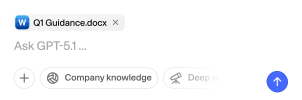
Describe a bug fix, an upgrade or missing tests in plain language. Your agent starts on a fresh computer in the cloud.
Your agent keeps working
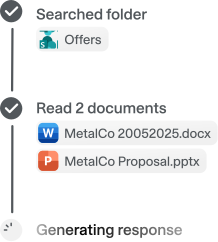
Your agent reads your code, runs your tests and keeps going while you move on to your next task.
Review the result
A draft pull request is waiting for your review. You decide what ships.
One task becomes several.
Start the next one while the first is still running.
Several tasks at once
Each task runs on its own cloud computer, so nothing waits for your laptop. Your engineers set the pace.















Big projects, within reach.
With Projects, a lead agent splits the work across agents, each on its own cloud computer.
Projects: one goal, a team of agents
Start a project for a migration or a redesign and describe it once. Its lead agent splits the work into tasks, gives each one to an agent on its own cloud computer and checks the results. Projects can also run on a schedule.
Work on a project together
Share a project and each teammate gets their own lead agent, on the same files and context. Your agents pass messages to each other.
What your team hands off.
From a quick fix to a full migration.
Bug fixes from a ticket
Hand off the ticket. Review the fix.
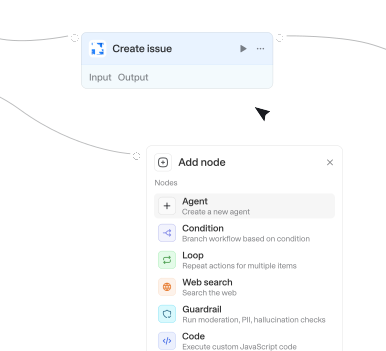
Hand a Jira Cloud or Linear issue to an agent in Code. It finds the cause, fixes it and opens a draft pull request that references the ticket. The ticket moves to In Progress when the agent starts, and you can update and comment on it from Code.
Upgrades and migrations
Move your whole codebase forward.
Framework upgrades, dependency bumps and migrations in older code, split into tasks your agents work on side by side.
Tests and coverage
Cover the code you keep meaning to test.
Your agents write the missing tests, run them until they pass reliably and bring them back for your review.
New features from a spec
From spec page to first version.
Point an agent at a spec in Notion or Confluence. It builds a first version for your team to review and shape.
Code reviews
A second review on your pull requests.
Code creates a guide that walks you through the changes. An agent can add review comments, but never approves: your people decide what merges.
Review keeps pace with your agents.
Every pull request in one place, with a guide through each change.
Your reviews in one place
See the pull requests you opened and the ones waiting for your review.


A guide through each change
Follow a guide through the change and ask questions about it. Ask an agent to fix failing checks or address comments, then comment and approve. An agent never approves on its own.
Safeguards your agents can't touch.
So your security team can say yes.
Decisions stay with Langdock
Approvals and safeguards run on Langdock's servers, outside your agents' reach. Every cloud session gets a fresh computer, and your agents can't change their own rules.
Ready for your security review
The foundations your security and IT teams ask about first.
- Hosted in the EU
- No training on your data
- Integration credentials stay with Langdock
- Agents act with your engineers' permissions
- Pull requests open as drafts by default
One home for your engineering work.
In the same Langdock as the rest of your company.
 GitHubOpen pull requests where your team already reviews
 GitLabAgents work on a fresh copy of your repo
 BitbucketChanges come back as draft pull requests by default
 Azure DevOpsReview guides walk you through the changes
 JiraHand Jira Cloud tickets to an agent from Code
 LinearIssues move to In Progress when an agent starts
 NotionBuild from a spec page
 ConfluenceBring your team's docs into the task
Runs where you need it.
In the cloud by default, on your machine when you want.
Cloud, your computer or another machine
Sessions run in a secure cloud sandbox and keep working while your laptop is closed. With the desktop app, an agent can also work in a folder on your computer or on another computer you connected.
The right model for every task.
Within the rules you set.
Model-agnostic, like all of Langdock
Choose frontier or open-source models from every major lab for each task, and switch when a better one ships.





You set the rules
Decide which teams use Code, which Git servers it reaches and which environment new sessions start from.

Questions? Answers.
Langdock Code is in beta with selected workspaces. If your company already uses Langdock, talk to your account manager. Otherwise, talk to our sales team to learn how it fits your engineering team.
In the cloud. Each session gets a fresh cloud computer hosted in the EU, prepared with your repository and the tools it needs. It keeps working even when your laptop is closed, and you follow along in the web or desktop app. With the desktop app, an agent can also work in a folder on your computer or on another computer you connected.
Approvals and safeguards run on Langdock's servers, outside the computer the agent works on, so an agent can't change its own rules. Integration credentials stay with Langdock, agents act with the permissions of the engineer who started them, and pull requests open as drafts by default. An agent never approves on its own.
No. Your data is never used for training. Langdock Code is hosted in the EU, like the rest of Langdock.
GitHub, GitLab, Bitbucket and Azure DevOps, including self-hosted instances. Agents commit, push and open pull requests for you. Issues from Jira Cloud and Linear can be handed to an agent, and Code uses the integrations your team already set up in Langdock.
Any model your workspace has enabled. Langdock is model-agnostic, so you pick the right model from every major provider for each session without being tied to one.
No. An agent review runs in its own session and never approves or requests changes. Nothing is posted until you decide to publish its comments to your pull request.
No. Your engineers keep the editor they know. Code is where they hand off work and review what comes back.